How to choose a digital business card: 3 types, 1 question
Every digital business card tool falls into one of three types: a pretty card, a networking system, or a full platform. One question decides: what should happen after the introduction?
 MyVisitoContent teamAugust 17, 2026 · 5 min read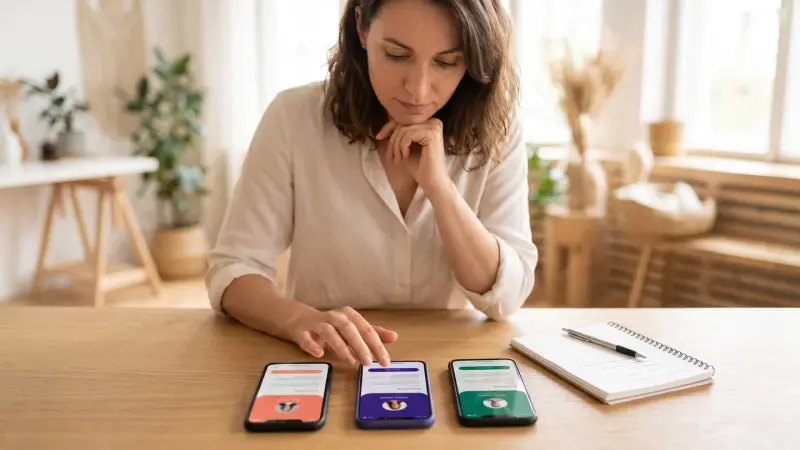
Search "digital business card platform" and you get a long list of names that look identical: everyone has a QR code, a link, a wallet pass and a free plan. Comparing them feature by feature is confusing because it skips the real question. These platforms fall into three categories, and only you know which one you belong to.
In short: you choose a platform by what happens after the introduction, because on looks they are all good: if the other person just saves a number, a pretty card is enough; if a whole team collects people at trade shows, you need a networking system; if people book, register or buy from the page itself, you need a complete platform. Five practical checks before you commit, in any category.
New to the whole idea? What is a digital business card explains what one is and how it works, and this article picks up from there.
Three categories instead of twenty brands
1. The pretty card. The goal: hand over your details impressively. Name, title, phone, links, maybe a photo and a logo. Clean, fast, and over the moment the other person saves you to contacts. This is the right category when the in-person meeting is the whole business and the sale itself happens elsewhere.
2. The networking system. The goal: collect and manage the people you met. Card scanning, lead forms at conferences, CRM sync, tracking a whole team at an event. Excellent for sales teams that go to trade shows and are measured by how many people exchanged details with them. Event networking with a QR describes that routine.
3. The complete platform. The goal: the card is the door to the business itself. The same link opens as a business card, scrolls into a professional landing page, shows services with prices, lets people book a meeting, buy a digital product or a course, RSVP to an event, and saves every interested person in the audience list. This is the category for anyone whose business happens online: consultants, therapists, coaches, course creators, freelancers, studio owners.
The one question: what happens after the introduction?
Pause on this scenario. Someone got your card, opened it, was impressed. Now what?
- If the answer is "they'll save the number and call when they need me", category 1 is enough.
- If the answer is "I need them in my list and someone on the team to follow up", that's category 2.
- If the answer is "they should book a meeting, pay for a workshop, enroll in a course, RSVP to an event, all without going to another site", you're in category 3.
The vast majority of small businesses live in the third answer, and discover it only after building a pretty card and realizing it leads nowhere.
See what yours would look like
Tell the AI assistant about yourself and your card's draft is waiting in the editor. Start free, no credit card needed.
Create your free cardFive practical questions before you commit to a platform
Before committing to a platform, go through five practical questions, whatever the category:
- Who owns the address? Do you have a fixed, short address, and does it keep working on the free plan. A printed QR code leads to that address for years.
- How do you update? One change should appear instantly for everyone who already has the link or scanned the QR.
- What about language? If your clients speak more than one language, does the card speak the visitor's language and not only yours.
- Where are the people saved? Does every inquiry, registration and purchase go into one place you control, exportable as a vCard or CSV file.
- How much work does it demand from you? A card that requires manual design of every block stays half-finished. An AI assistant that builds from the first sentence is the difference between "I'll do it someday" and "published".
What happens when you choose by looks
Almost every platform offers good-looking cards, so looks are the baseline, not the difference. The real difference is the moment after: what a visitor is allowed to do without leaving the page. When comparing, ask yourself which card finishes the job for you, and only then which one is prettier. And compare prices only from the vendors' own pricing pages: the ranked comparison of seven does that, and the comparisons page puts tool against tool.
Where MyVisito sits, and our disclosure
MyVisito is a category-three platform: a digital business card, a landing page, online sales, courses and events in one platform. An AI assistant drafts the card from what you tell it, you check it and publish it at a personal address, and from the same link you can sell, book meetings, host events and keep every person. There's a free plan with no credit card, and selling products and courses opens from the Starter plan. If you're in the first category, a pretty card alone may be enough for you, and that's perfectly fine. If you're in the third, here's how it works step by step.
Frequently asked questions
Can I switch platforms without rebuilding everything?
Yes. In good tools you paste a link to your existing card or website and the assistant rebuilds the content, details and colors. A contacts file and a photographed paper card come in too. In MyVisito that's card import.
Is an NFC card a separate category?
No. NFC is a way to pass a link, like a QR. The question remains where the link leads, meaning which of the three categories the page itself belongs to.
Does a small team need category 2 or 3?
A team that measures itself by how many people it met at an event is in category 2. A team where every member also sells, books meetings or hosts events needs the third, with one company template for everyone.
What's the difference between a card platform and a link tree?
A link tree routes an audience from social media to other places; a card platform presents a person and keeps the relationship. Your link in bio can do so much more explains the difference.
 MyVisitoContent team
More from the blog
7 best digital business cards in 2026: who each one fits
A buyer's guide to seven digital business card tools: what to check before you pay, what each gives you, who it suits and what it costs, per each vendor's own page.What is a digital business card and how does it work
A digital business card is a personal page that opens from a QR scan or a link, no app needed. What happens when someone scans, how to share it, NFC or QR, and what it costs.Digital business card or a website: which one do you need
What does a website cost today, and what do you get for it? An honest comparison between a full website and a smart one-page card: cost, upkeep, speed, and when you truly need both.