A digital business card that's always up to date







Visita, our AI assistant, writes the first draft of your card from what you tell her.

Visita, MyVisito's AI assistant


AI
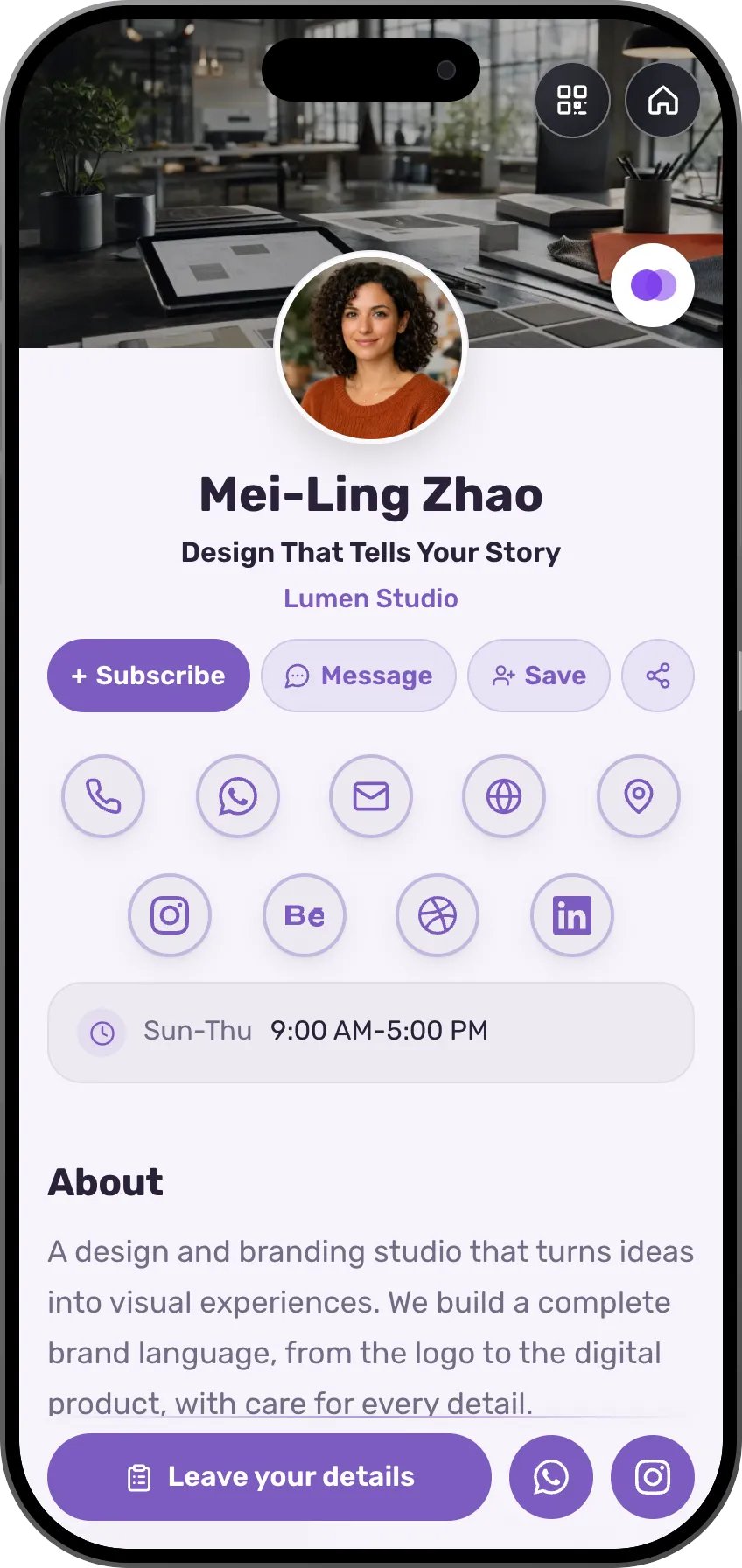
Mei-Ling Zhao
Design That Tells Your Story
Lumen Studio
- Writes the copy for you
- Changes whatever you ask, like a chat
- Translates your card into other languages
- Answers when you get stuck
Visita answers on your card while you're busy, and a scanner saves the cards you collect at conferences.
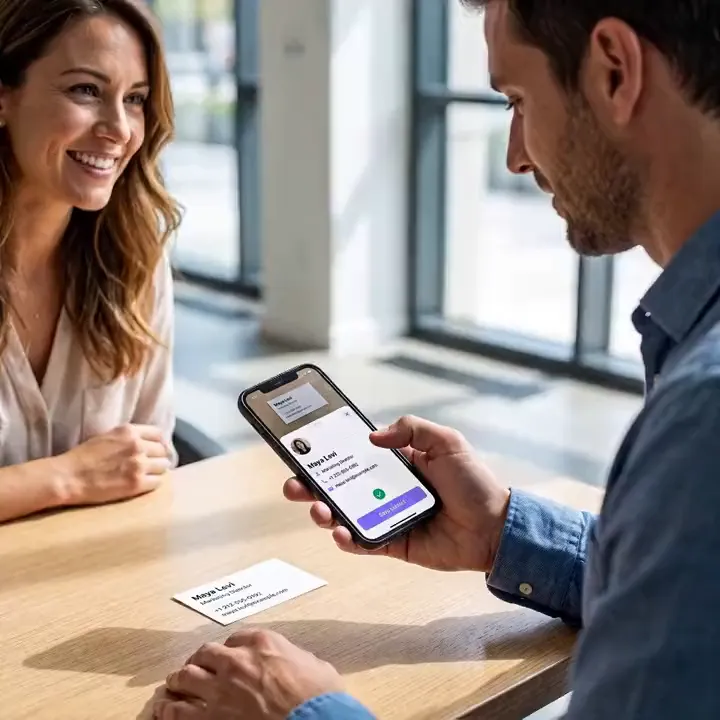
You got a paper card at a conference. A week later it's in the pocket of a different jacket.
Templates by profession
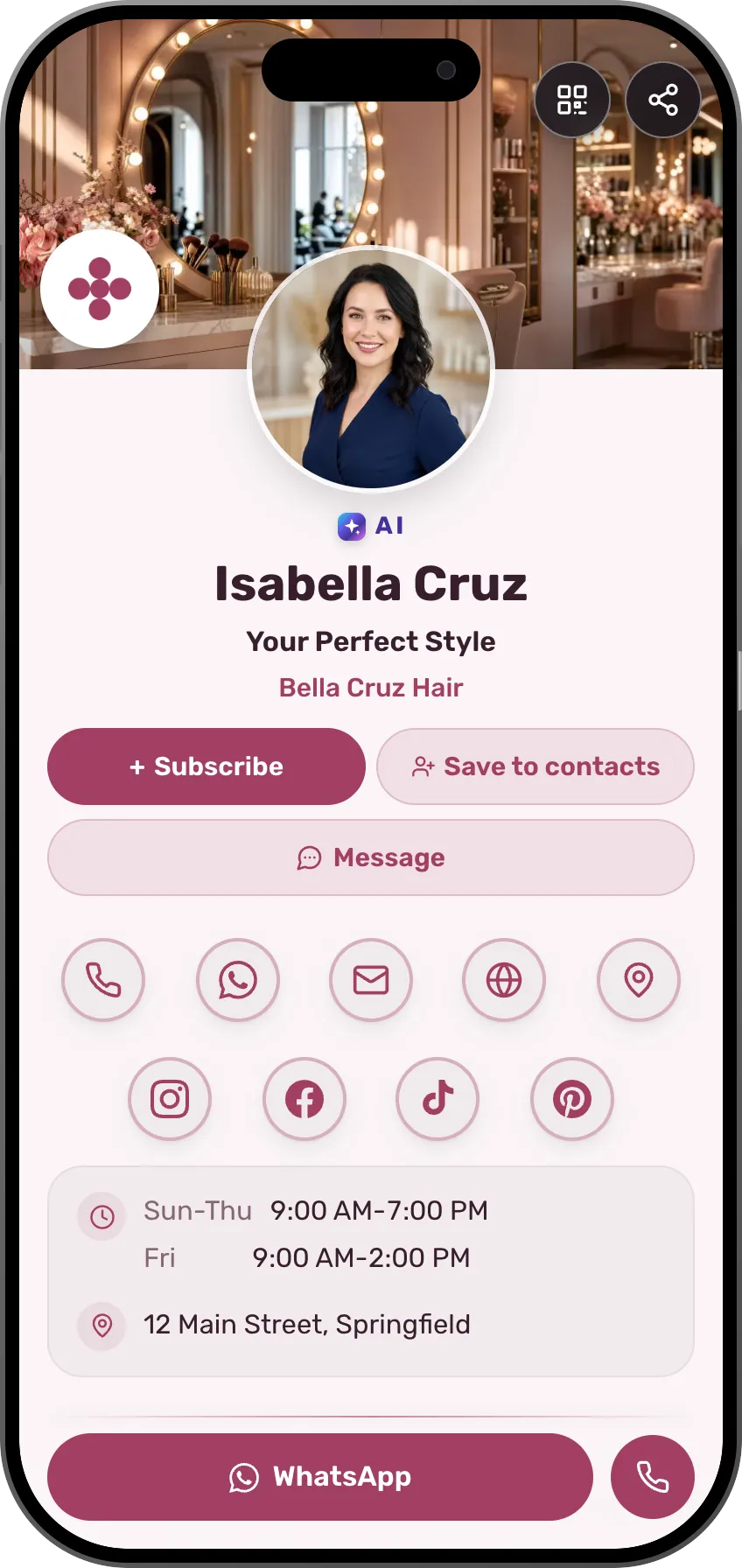
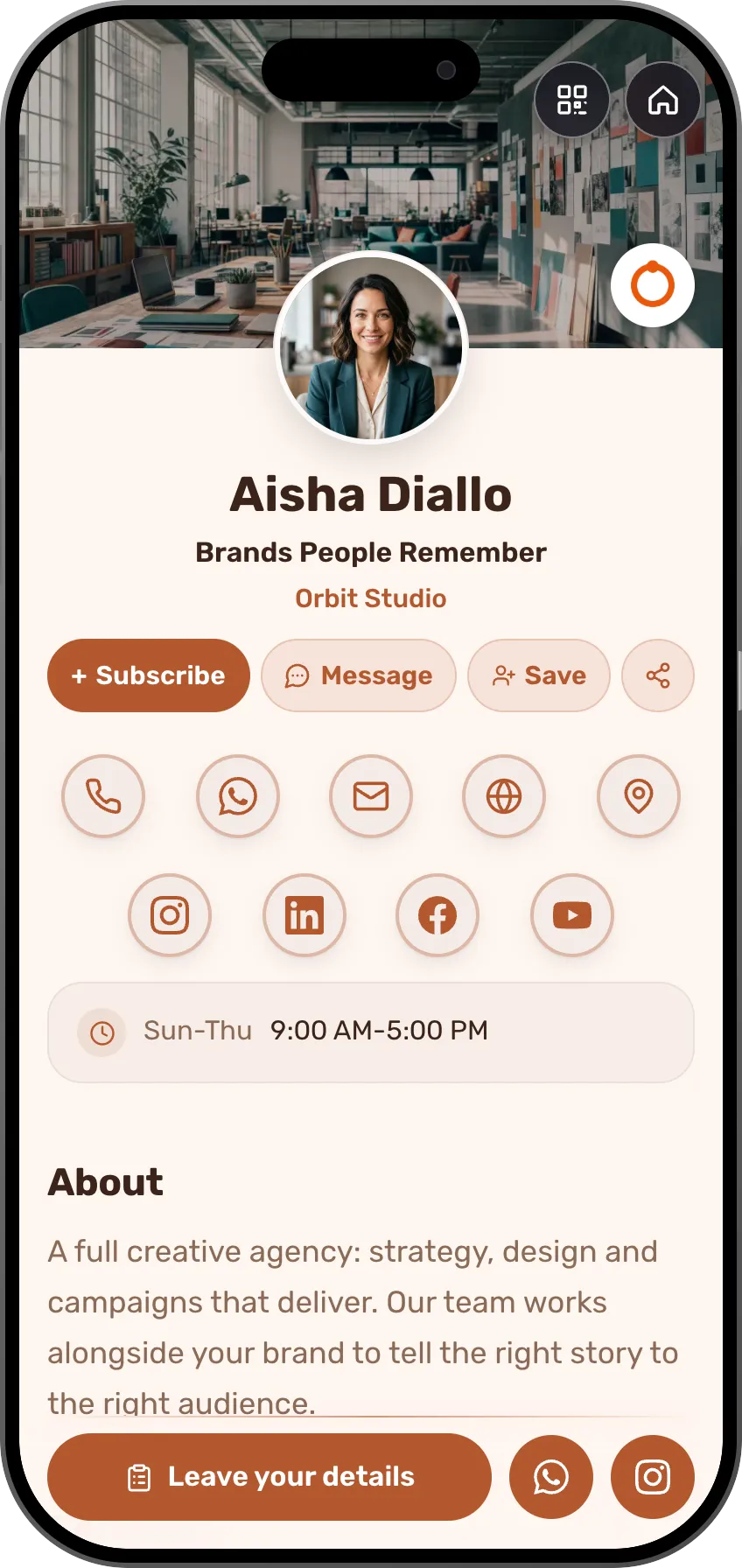
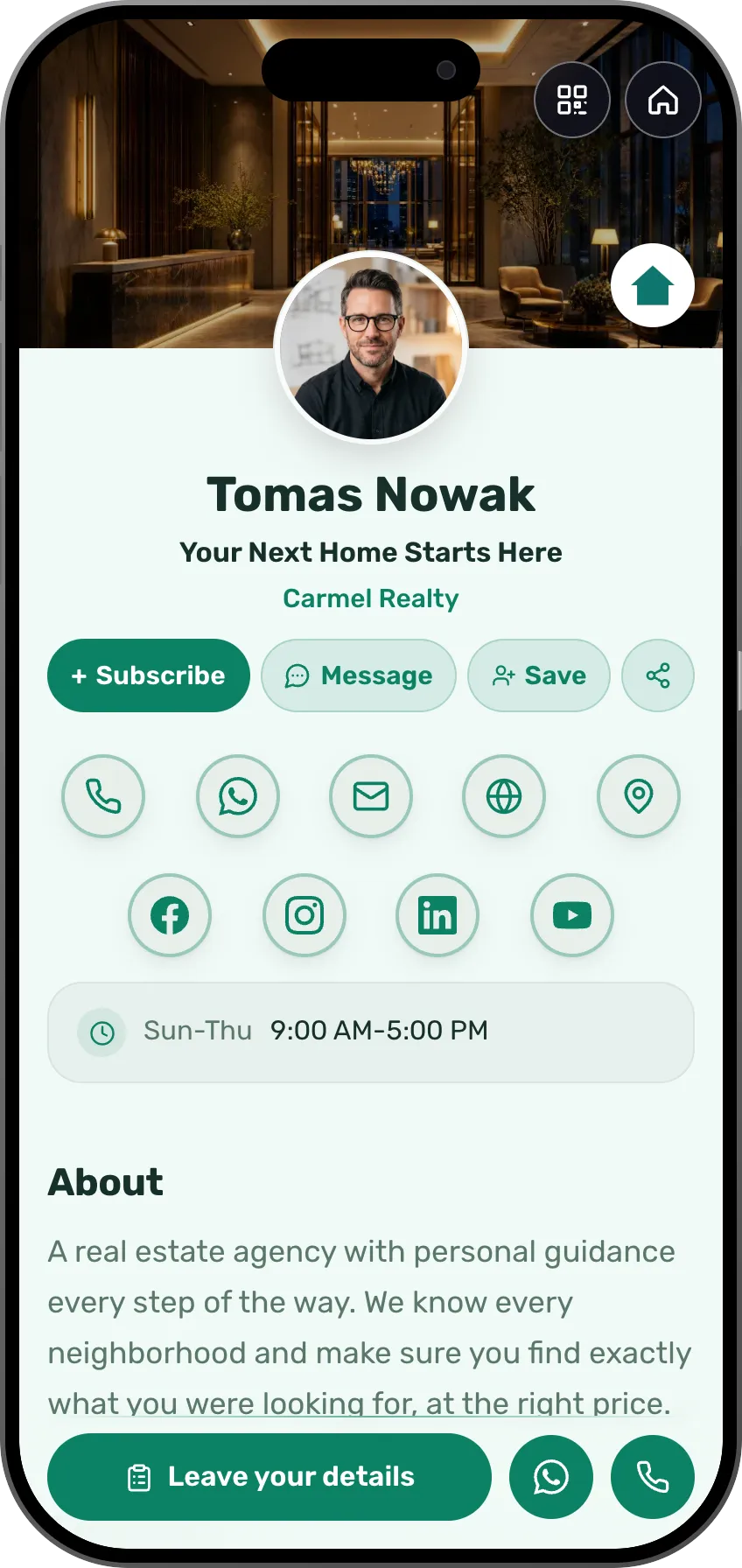
Pick a template and the design is done
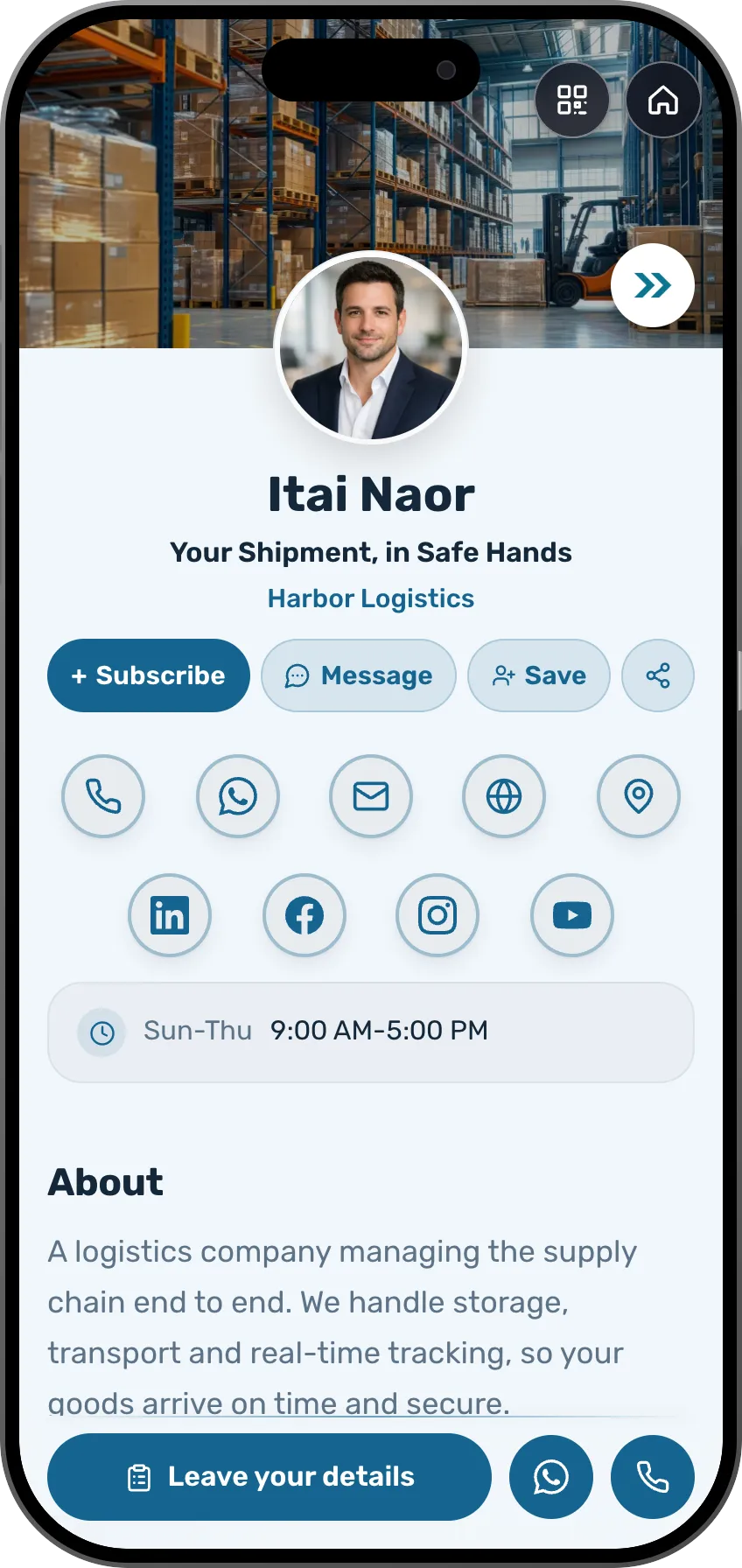
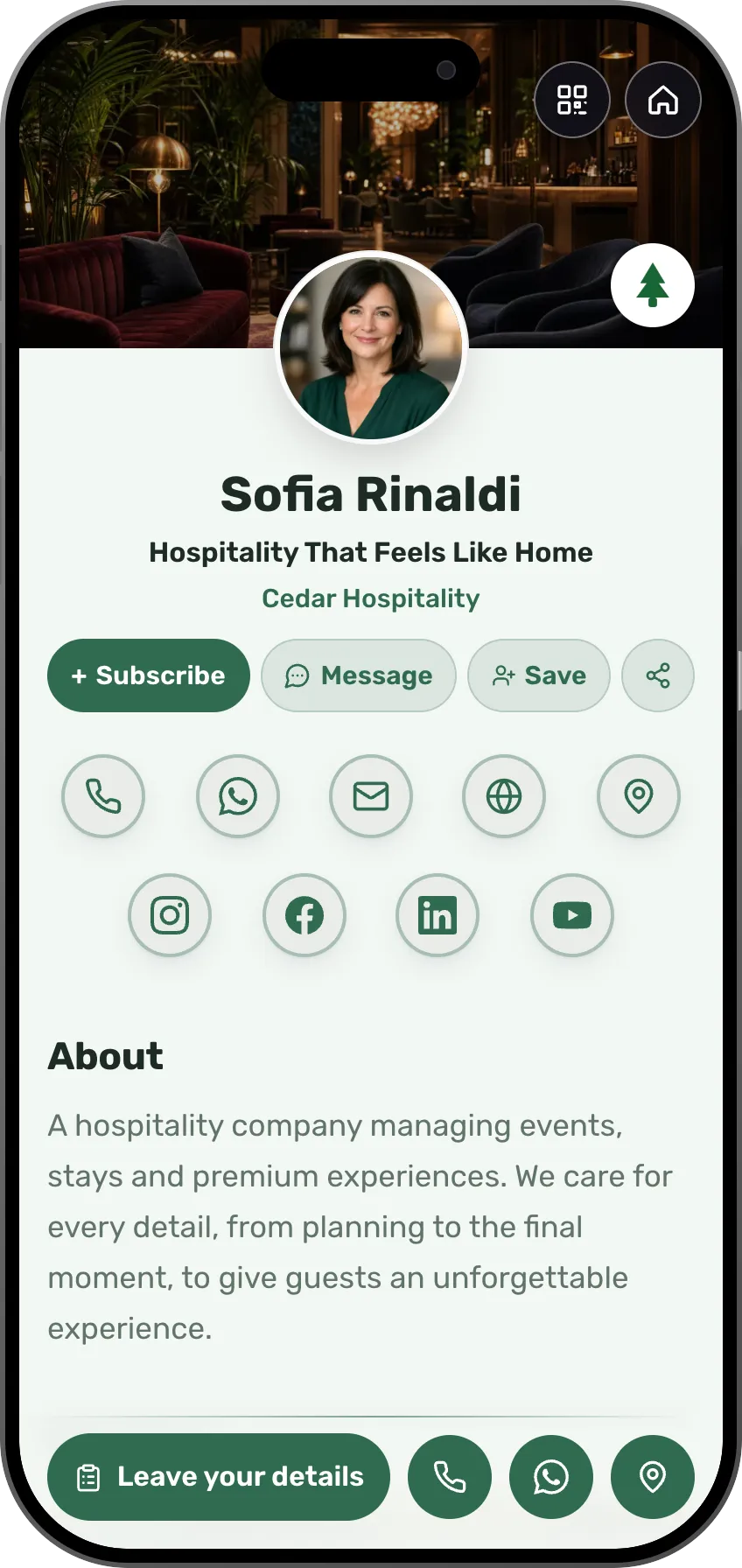
See each template as it will look on a phone, then edit any part of it.
From real life
This is how it looks day to day
Someone scans your card at a conference, at the gym or in front of the stage, and books or buys on the spot.
Edit once, updated everywhere
Change your role, phone number or photo and every card you ever shared updates instantly. Every edit saves as you type, and the live preview shows exactly what visitors see.
A full page about you and your work
Add services with prices, a gallery, testimonials or a booking button, and your card turns into a personal landing page. Leave out whatever you don't need.
Design that feels like you
There are templates designed for different professions, and all of them come with the free plan. The AI can design your logo too. Pick a look, adjust the colors and details, and your card keeps its style on every phone, in light and dark.
Scheduled and highlighted sections
Running a limited-time offer? Give a section a date window and it appears and disappears on the live card right on time. You can also highlight one important section with a glowing frame in your card's color. Both are available on paid plans.
On a computer, it's a landing page
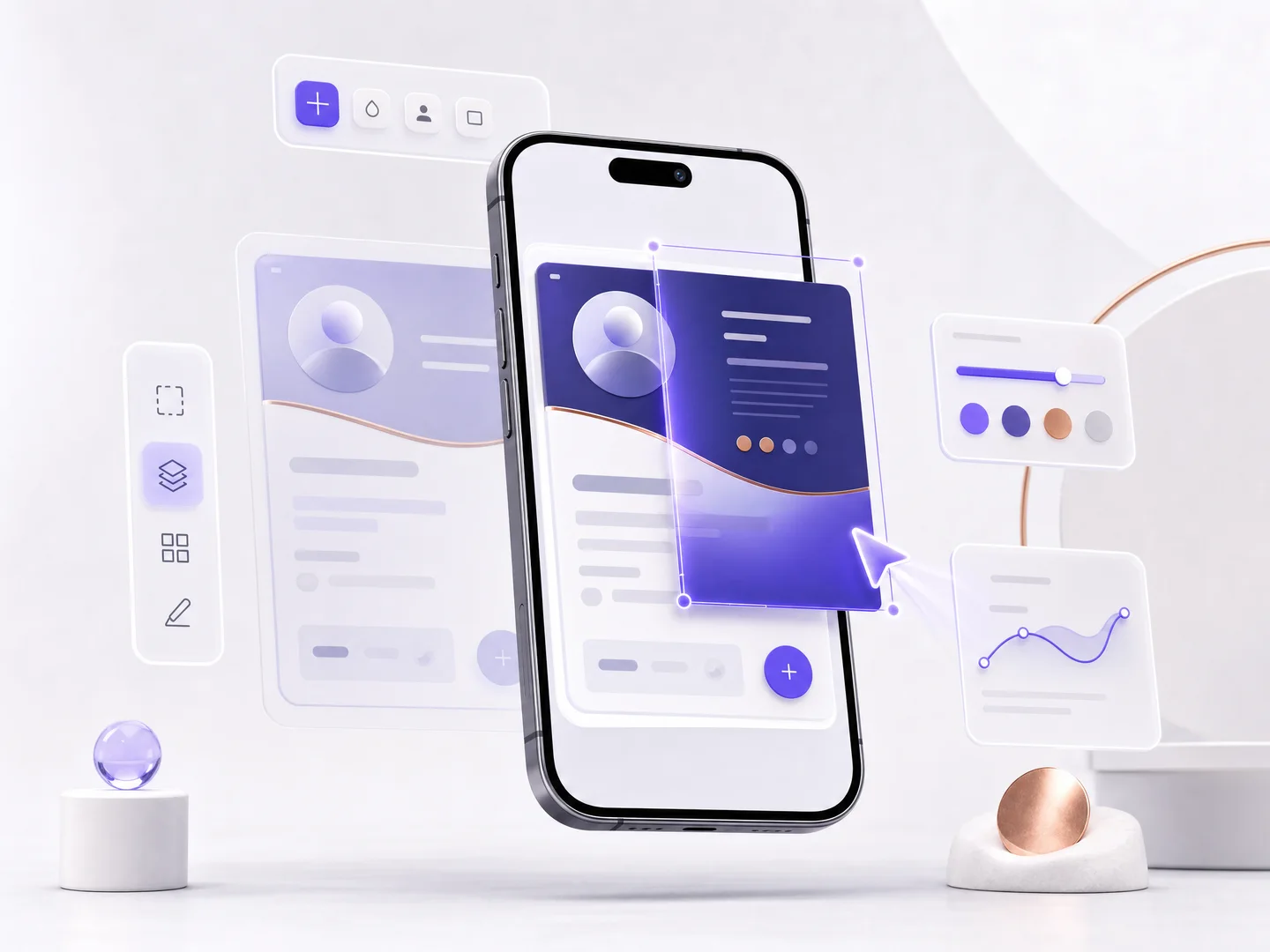
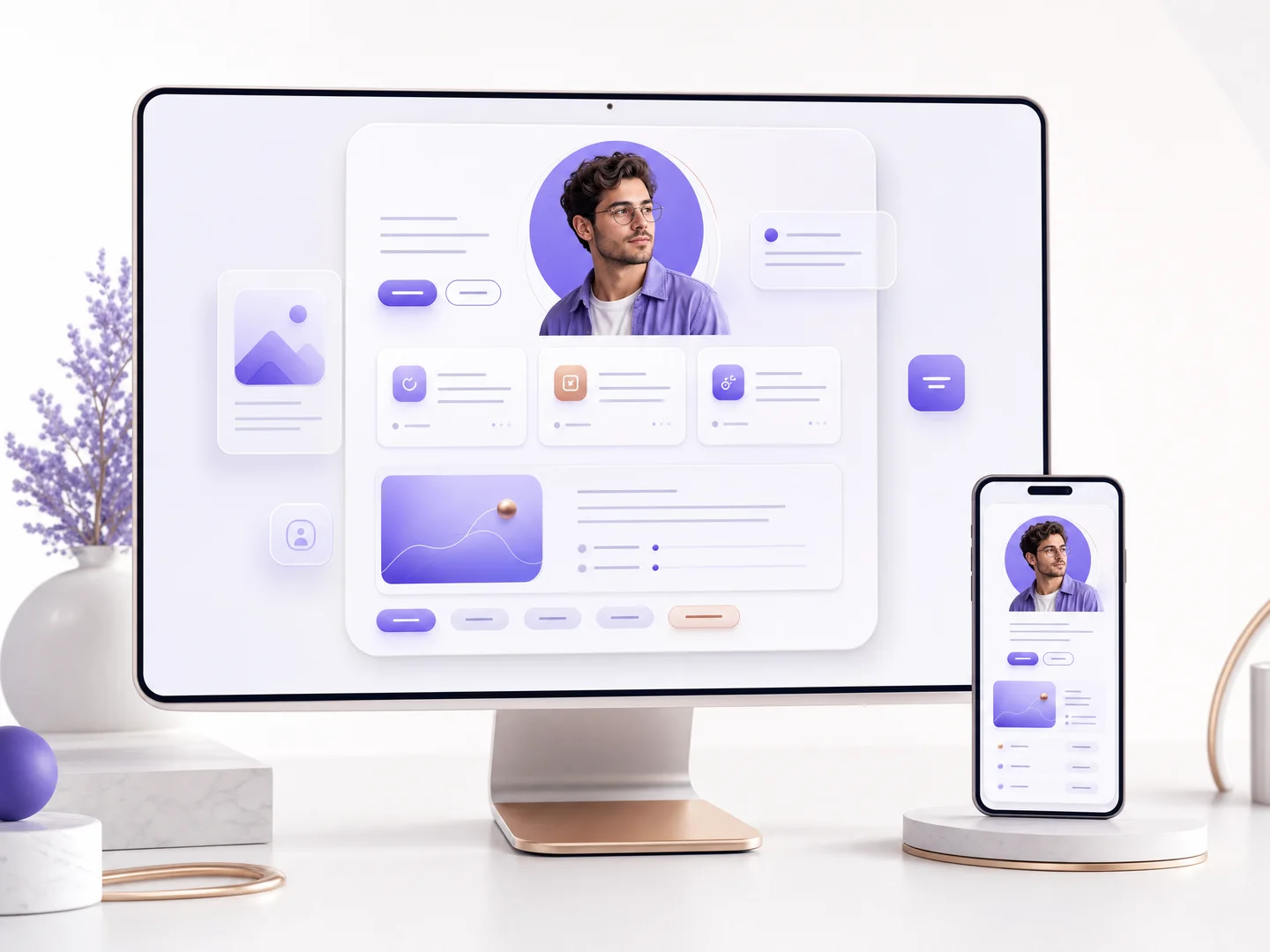
On a phone your card looks like a card. On a wide screen it opens as a landing page, with a QR code for anyone who wants to continue on their phone. Same link, and it switches on its own.
How it works
Create your card
Sign up free, fill in a few details on one screen, and your card is created. In the editor, tell the AI assistant about yourself or pick your profession's template, and edit from there. You choose the address when you publish.
Share it anywhere
Send the link, show the QR code, or add the card to Apple Wallet or Google Wallet. Anyone can save your details with a tap.
Stay up to date
Edit anytime; every link, code and pass you ever shared now shows the new version. Nothing to resend, nothing to reprint.
Comparison
What MyVisito adds to a typical digital card
A typical digital card shares your contact details. With MyVisito, the same card also lets you sell and take bookings, and everyone who reaches out is saved for you.
The card itself
The page itself
A typical digital card: Contact details, links and a personal profile
MyVisito: A full landing page: services with prices, a gallery, portfolio, videos and testimonials
Sections for your profession
A typical digital card: The same fields for everyone
MyVisito: A filterable listings board for real estate agents, a menu with allergens for restaurants, a price list with photos, sets for DJs and episodes for podcasters, all in the card's colors
Building with AI
A typical digital card: You fill in the details yourself, field by field
MyVisito: Tell the AI about yourself and it drafts your card; you can also import an existing site or card
Languages
A typical digital card: One language per card
MyVisito: One card in several languages, and each visitor sees it in their own
Your address
A typical digital card: A random app-generated link
MyVisito: Your own short address, myvisito.com/your-name, on the QR code and the wallet pass too
Logo
A typical digital card: You upload an existing logo
MyVisito: A built-in AI logo studio: a professional logo without hiring a designer
Who sees what
A typical digital card: One card, the same details for everyone
MyVisito: You choose which details everyone sees. A hidden phone, email or address goes only to someone who taps "Exchange details", leaves their own, and gets your one-tap approval
Sharing
Sharing and saving
A typical digital card: A link and a QR code
MyVisito: Link, branded QR, Apple and Google Wallet, email signature and backgrounds, and a preview of how you look in their contacts, tags included
Paper card scanning
A typical digital card: Varies by app, often manual entry
MyVisito: Photograph a paper card and the AI reads name, phone and email straight into your contacts, photo and meeting attached
Selling and events
Selling and payment
A typical digital card: The page shows, payment happens elsewhere
MyVisito: Digital products and courses paid through Stripe, with the money going to your account; coupons, personal links, and a quick-contact button on every service, product and price-list row
A download for an email
A typical digital card: A link to a file on a drive
MyVisito: A guide, a set or a file that opens after a name and an email, with a preview clip on the page, and everyone who downloads joins your audience. You can also ask for a follow on Instagram, TikTok or YouTube before the download
Courses and content
A typical digital card: A separate course platform
MyVisito: Digital courses sold and taught from the card, with a student portal
Appointments and meetings
A typical digital card: A link to an external calendar
MyVisito: A built-in calendar: your hours and meeting length, visitors pick a slot, you confirm, and both sides get a calendar file
Invitations and RSVP
A typical digital card: A shared link, no event management
MyVisito: A designed invitation at its own address: RSVPs, automatic reminders, guest messages, and every guest joins your audience
Paid tickets and check-in
A typical digital card: A separate ticketing system
MyVisito: Ticket types, a sale window, coupons and manual approval, plus door scanning from your crew's phones with a live count. You choose who pays the service fee, and our fee is itemized up front. Confirm the event took place, and the money is on its way the next day
Webinars and online events
A typical digital card: A Zoom link sent by email
MyVisito: A webinar registration page, and the link goes only to people who registered. A countdown, reminders and a recurring series (daily or weekly until a date) with one registration for every session. The webinar also shows on your card and on Google
Relationships and audience
Enquiry form
A typical digital card: Name, email and a message
MyVisito: The form opens with "what are you interested in" built from your own services, plus a budget range, your own questions and proposed times for an intro call; enquiries arrive sorted
Leads and contacts
A typical digital card: Contact exchange
MyVisito: A built-in CRM: every inquiry saved with its context, follow-up reminders and sync to the tools you already use
Answering enquiries
A typical digital card: Emails scattered around
MyVisito: One inbox for enquiries from the form, the shop, events and meetings, with quick replies by branded email or WhatsApp and the whole thread kept
Subscribe to updates
A typical digital card: A link to an external form
MyVisito: A Subscribe button on every card: subscribers appear on your list and see what's new on your card on their updates screen
Social followers
A typical digital card: Social network icons
MyVisito: Your follower count on each platform, right on the card, refreshed automatically where the platform allows it
Visita, AI personal assistant
A typical digital card: The card only displays information
MyVisito: Visita answers visitors from what your card says, saves their details and asks you when someone wants to meet (from Premium up)
Who else gets the enquiries
A typical digital card: One account, one person
MyVisito: The person who helps you gets their own login and can't withdraw money, and others (a booking manager, a bookkeeper) can get enquiries by email with no account
Want a detailed comparison with a specific app?
MyVisito and BlinqWhat each app does well, and what to know before you chooseMyVisito and PoplWhat each app does well, and what to know before you chooseMyVisito and HiHelloWhat each app does well, and what to know before you chooseMyVisito and LinktreeWhat each app does well, and what to know before you chooseMyVisito and V1CEWhat each app does well, and what to know before you chooseMyVisito and MobiloWhat each app does well, and what to know before you choose
Pricing
Start free, and pay only when your business needs more
On the free plan you get your own card, and interested people can leave their details. Paid plans start at $24 a month, and you can try one for 7 days.
- Free$0
- Premium$24 per month
- Max$98 per month
Frequently asked questions
What is a digital business card?
A personal page on the web that works like a business card: your name, role, contact details, services and links at one address that is easy to share. Instead of printing paper, you send a link or show a QR code, and anyone can save your details to their phone.
How do I share a digital business card?
Every card comes with its own link and a branded QR code. Share the link in WhatsApp, email or social media, show the QR from your phone, add the card to Apple Wallet or Google Wallet, or print the QR on anything from a roll-up banner to a paper card.
What can I put on my card?
Contact details, social profiles, a bio, services with prices, photo galleries, portfolio projects, products, customer testimonials, videos, podcasts, payment links, a booking button and a lead form. You choose the blocks; the design stays clean.
What happens when my details change?
You edit the card and everyone who has your link, QR code or wallet pass sees the new version immediately. There is nothing to resend and no stack of outdated paper cards.
Is it really free?
Yes. The free plan includes a published card with your own address, sharing, a branded QR code and contact exchange, free with no credit card. Every template and every color set is included. With a paid plan, sections like booking and a price list go live on your card. You also get more cards, more languages, more AI credits and the full analytics report.
How is MyVisito different from other digital business card apps?
Most digital cards focus on sharing contact details, and that matters. Here the card is a full landing page: services with prices and a quick-contact button, a shop with built-in checkout for courses and digital products, meeting scheduling, a lead form and a CRM that remembers every inquiry. The comparison pages show how it looks next to Blinq, Popl, HiHello and Linktree.
How much do the paid plans cost?
Full prices are right on this page and on the pricing page, monthly or yearly. Start on the free plan, and when you need more, every paid plan opens with a free trial you can cancel anytime.
Is MyVisito business card design software?
It is software for creating and designing a digital business card: a live page you design in the editor from ready-made templates, with colors, photos and an AI-made logo. It does not produce a print file, but you download the card's QR code and print it on a paper card, a sign or a banner, so the paper always leads to the current page.