An email signature built from your digital business card
Thanks for the great meeting today! Attaching the summary we discussed.


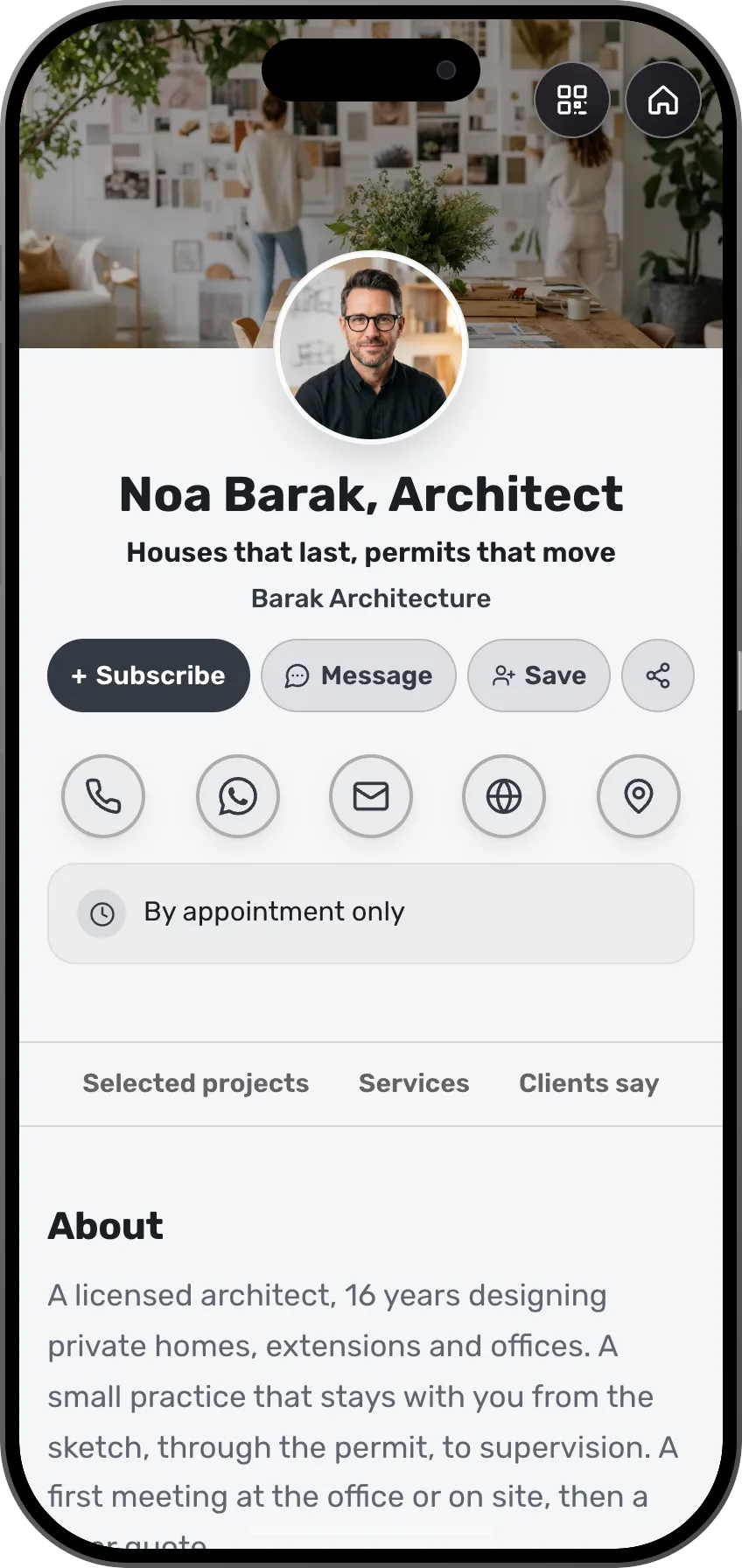
A click or a scan opens this card
The signature and the card beside it belong to the same person: the signature is built from the card.
What a signature built from a card looks like
Six signatures from six sample cards. Each wears a different style and its own card's color, and each opens the card with a click or a scan.
Card · Architecture Card strip · Photography Split · Law Centered · Design studio Brand line · Coaching Banner · Dentistry








Your card is ready, so your signature is too
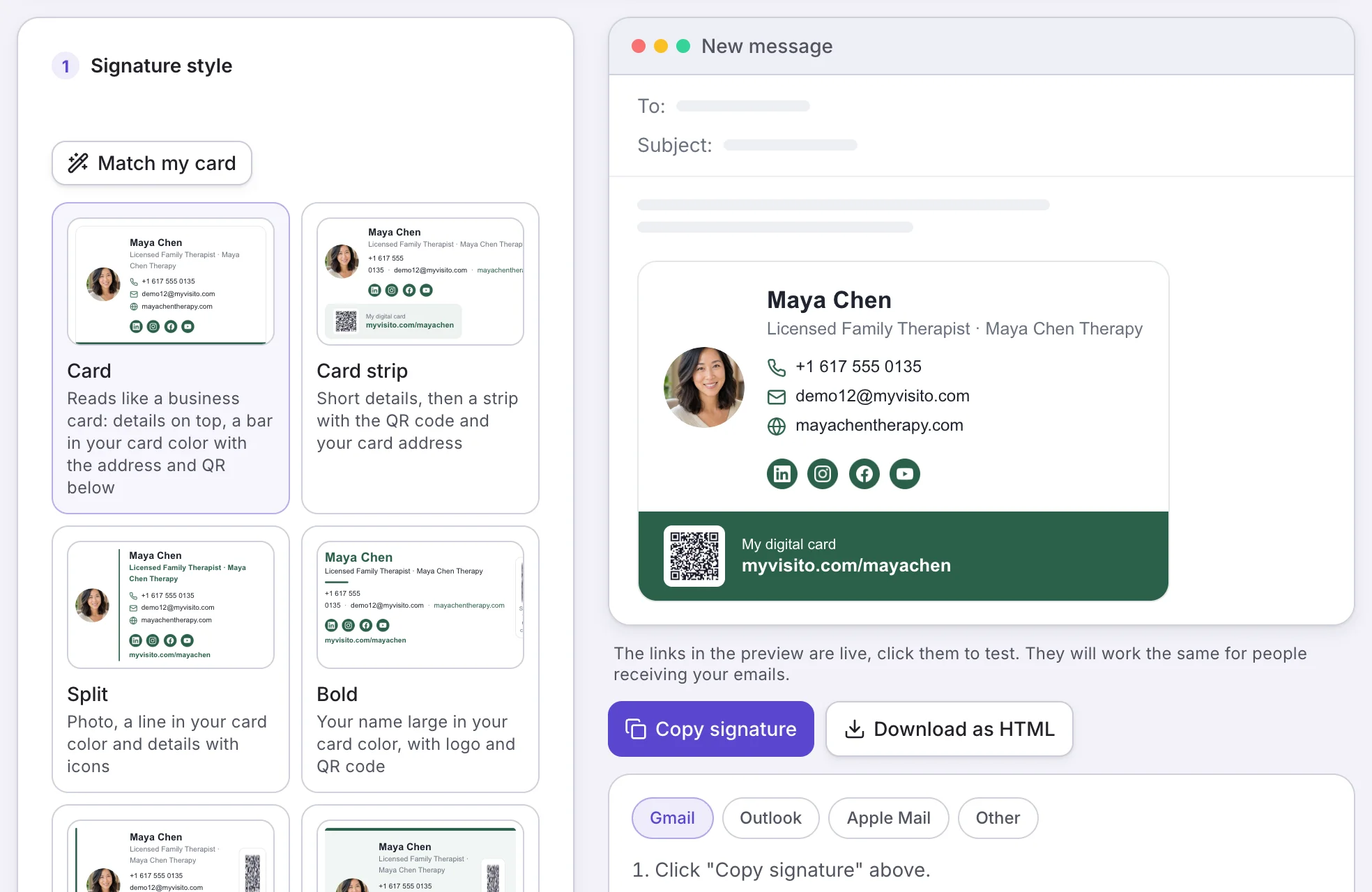
There is nothing to fill in twice. Your name, role, phone, email, website, photo and social links are taken from your digital business card, and the signature wears its color. Pick a style, see it inside an email window, and change only what you want.
A QR code in your signature that opens your card
Your signature carries your card's QR code and its address. Someone reading on a computer scans it with a phone and saves you as a contact, someone reading on a phone just taps. Either way they land on your live card, with everything on it up to date.
One signature for the whole team
On team plans you design the signature once and save it as the company template. Everyone on the team gets it with the details and photo from their own card, and you can lock the design so every company email looks the same.
See how many people came from your emails
Clicks on the link and scans of the QR code in your signature are counted in your card's analytics as email traffic, next to your other sources. You know what the signature actually brings in.
How it works
Publish your card
The signature is built from your published card, so its details are always right.
Pick a style and copy
Choose a style, see the signature inside an email window, and click copy.
Paste into your mail app
Paste it into the signature settings of Gmail, Outlook or Apple Mail, and send your next email.
How to add the signature to your mail app
One copy, one paste. Here are the steps for the most common apps.
Email signature in Gmail
- On the signature screen, click Copy signature.
- In Gmail open Settings, See all settings, and scroll to Signature.
- Create a new signature, paste, and save changes at the bottom of the page.
Email signature in Outlook
- Copy the signature from the signature screen.
- In Outlook open Settings, Accounts, Signatures. In classic Outlook: File, Options, Mail, Signatures.
- Create a new signature, paste, and save.
Email signature in Apple Mail
- Copy the signature from the signature screen.
- In Mail open Settings, Signatures, and add a new signature.
- Untick "Always match my default message font", then paste.
Email signature on iPhone
- Open the signature screen on your phone and copy the signature.
- In the phone's Settings go to Mail, Signature, and paste.
- If the look changes on paste, shake the phone and choose Undo.
Frequently asked questions
How do I create an email signature from a digital business card?
Publish a card on MyVisito and open the email signature screen. The signature is already filled with your card's details, photo, color and social links. Pick a style, click copy, and paste it into your mail app.
How do I add the signature to Gmail or Outlook?
Copy the signature, open the signature settings in your mail app, and paste. The signature screen shows the steps for Gmail, Outlook, Apple Mail and other apps, and you can also download the signature as an HTML file.
What does the QR code in the signature do?
It is your card's QR code. Anyone who scans it from the screen lands on your digital business card, where they can save you as a contact, send a message or book a meeting. Your card address also appears next to it as a regular link.
What happens to the signature when I update my card?
The link and the QR code always open your live card, so anyone who clicks sees your latest details without you touching the signature. If you changed your name, photo or color and want the signature itself to match, copy it again and paste, it takes about a minute.
Which signature styles are there?
There are styles that read like a small business card with a bar in your brand color, styles with a photo and icons, a style with a bold name and logo, and a clean text signature. In each one you choose the color, font, text size and photo shape, and decide whether to show social links, a logo and the QR code.
Is the email signature free?
The signature is included in Premium, and in the 7-day trial. On the free plan the tool opens fully as a live preview with your own details, and copying and downloading unlock when you upgrade. The signature itself carries no MyVisito branding.
What do people see if their mail app blocks images?
Your name, role, contact details and card address are plain text and links, so the signature reads in full before any image loads. The photo, icons and QR code appear once the recipient allows images.
Can the whole team use the same signature?
Yes. On team plans an admin saves one design as the company template, and everyone on the team gets it with the details from their own card. The design can be locked or left as a starting point.
Are clicks on the signature measured?
Yes. Clicks on the link and scans of the QR code are counted in your card's analytics as email traffic.
More MyVisito capabilities
Digital business card
One page that introduces you: who you are, what you do and how to reach you in a tap.QR code sharing
A branded QR code people scan from a screen or from print, and your card opens on their phone.Video call backgrounds
A background for Zoom, Meet and Teams with your name, title and a QR code people can scan mid-call.