Bring your existing card to MyVisito







Magic Switch
Build your card from the website or business card you already have
Paste a link to your website (Wix, WordPress, Canva or any other), your Linktree or Komi page, or snap a photo of your printed card. The AI reads the content and the design, and builds a finished card from them. Free on every plan.

The card is built from the page you pasted
Works with a printed business card too: photograph it from your phone, and the AI extracts every detail and builds the card.
More about importing an existing cardApprove and correct before you continue
Name, title, phone, email, social links, images and colors appear with their actual values. Missing details are visible too, with a clear way to complete them.
Photograph a printed business card
On your phone the camera opens right away. Photograph the printed card, and the system extracts the visible details and shows them for approval before the card is created.
Your own details, or just inspiration
Before pasting a link, choose whether to transfer details from a source you own or use it only as design inspiration. Sample names, photos and contact details are never copied from a template.
Your contacts move with you
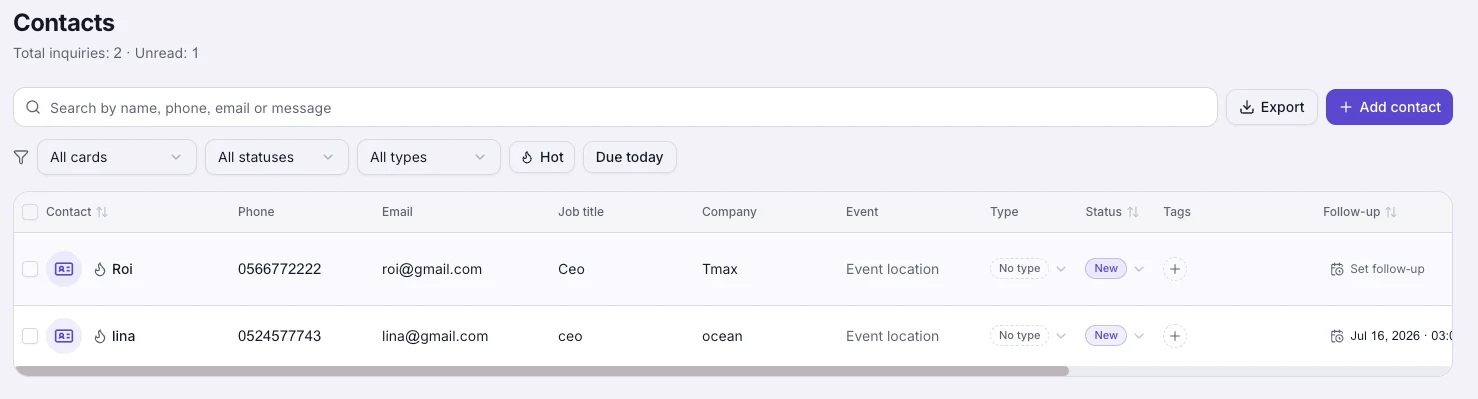
Import a CSV or vCard file from Google, your phone or another card app, and your contacts land in the CRM with their tags and notes. Duplicates merge automatically.
How it works
Paste a link or take a photo
A link to your existing card, your website (Wix, WordPress, Canva or any other), your Linktree or Komi page, or a photo of a printed business card. Before a link is inspected, mark it as yours or inspiration only.
Look over what was found
Public details, links, images and source colors are shown for review. You choose what to keep and complete anything that was not found.
Approve and publish
Review the recognized details, correct anything, choose whether to keep the imported design, and publish.
Frequently asked questions
Which services can I import from?
Any public page: an existing digital card (Blinq, HiHello, Popl and others), a Linktree page, a business website or an about page. The system pulls out the public details and shows them for review.
How much does it cost?
The import is free on every plan, including the free one. It is part of signing up and is never counted against your AI quota.
What if the link cannot be read?
Some sites block automated access. If that happens you'll know right away, and you can upload a screenshot of the page instead.
Does the design come over, or just the text?
Detected brand colors are shown for selection. A MyVisito template can also carry its template structure; an external website is not automatically cloned, and you always choose the final template before publishing.
Can I correct what the AI recognized?
Yes. Before the card is created, every detected value and missing detail is shown for review. Correct what you need, then continue. Nothing is published without your approval.
How do I import my contacts?
On the contacts screen, choose Import and pick a CSV or vCard file from Google, your phone or any other app. Contacts you already have are merged without overwriting details.
More MyVisito capabilities
AI card creator
Tell the AI about yourself and it builds a first draft of your card.Digital business card
One page that introduces you: who you are, what you do and how to reach you in a tap.Contacts and CRM
Each name on your list comes with where you met, where things stand and when to get back to them.