It sits between the boarding pass and the loyalty card
The pass carries your photo, name, role, phone and email on a MyVisito banner, with your card address on the pass itself. Every pass shares the same design, so people recognize it at a glance, and everything they need is right there in the wallet.
It speaks your visitor's language
When a visitor switches your card to their language and adds the pass, the pass arrives in that language, and its QR opens the card in the same language too.
How it works
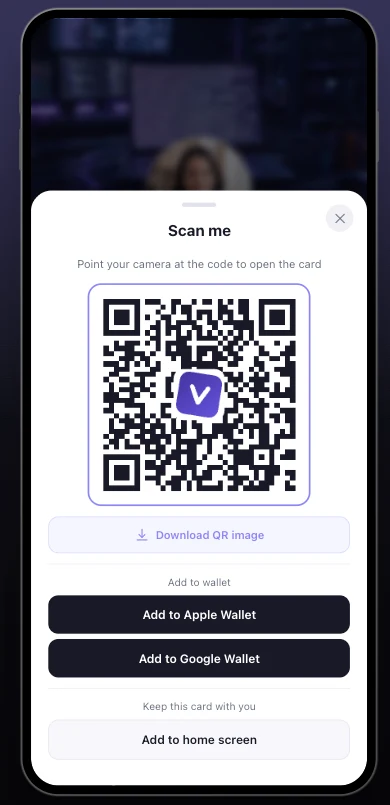
Open the card, tap the wallet button
Anyone viewing your card can add it to Apple Wallet or Google Wallet, right from their phone.
The pass is created
Your photo, name and details on a MyVisito banner, with a QR code that opens the full card.
It stays on their phone
The QR on the pass always opens the latest version of your card, even months after you met.
Frequently asked questions
How do I add a business card to Apple Wallet?
Open the card, tap the wallet button, and the pass is added like any boarding pass or ticket. The same button offers Google Wallet on Android.
What shows on the wallet pass?
Your photo, name, role and company on a MyVisito banner, your phone and email below them, your card address on the pass, and a QR code that opens your full card on any phone that scans it. The design and colors are the same on every pass; the content is yours.
Can visitors add my card to their own wallet?
Yes. Anyone viewing your card can add it to their wallet, and your details stay on their phone long after the meeting.
Does the pass update when I change my card?
The QR on the pass always opens your live card with the newest details. Re-adding the pass refreshes the printed details on its face.
Is the wallet pass free?
Yes, adding cards to Apple Wallet and Google Wallet is included on every plan. Paid plans also let you choose which details the pass shows.
More MyVisito capabilities
QR code sharing
A branded QR code people scan from a screen or from print, and your card opens on their phone.Digital business card
One page that introduces you: who you are, what you do and how to reach you in a tap.Event lead capture
At a booth or a conference visitors leave details in a tap, and the leads land with you.