Event and conference lead capture, from your digital business card




 Your card's QR codeOn a stand, a screen or your badge
What happens to conference leads today, and what happens with the card
The day after an event decides whether a conversation turns into business.
Today
- A stack of paper cards waits in a bag until someone types it up.
- Names sit in a spreadsheet, and nobody remembers who asked for what.
- A badge scanner is rented again for every event.
- The follow-up goes out a week later, after the conversation has cooled.
With your card
- Visitors scan one QR code and leave their details themselves.
- A paper card becomes a contact from one photo on your phone.
- Every lead is saved with the event where you met.
- The list is ready the same evening and syncs to the CRM you connected.
Three ways a lead comes in at an event
At the booth, in a hallway conversation, or from a paper card. All three end in the same contact list.
An event lead capture form, on your card
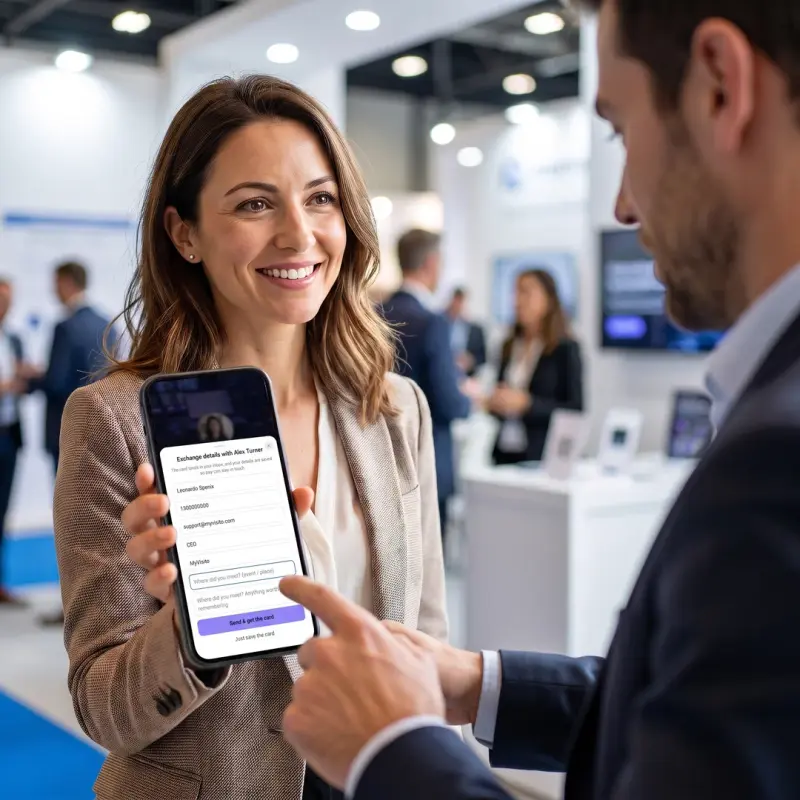
A visitor scans your QR code, sees your card and taps Exchange details. They leave a name and an email, a phone number if they like, and can add where you met. Your card goes to their inbox with a contact file, and the lead is saved in your list.
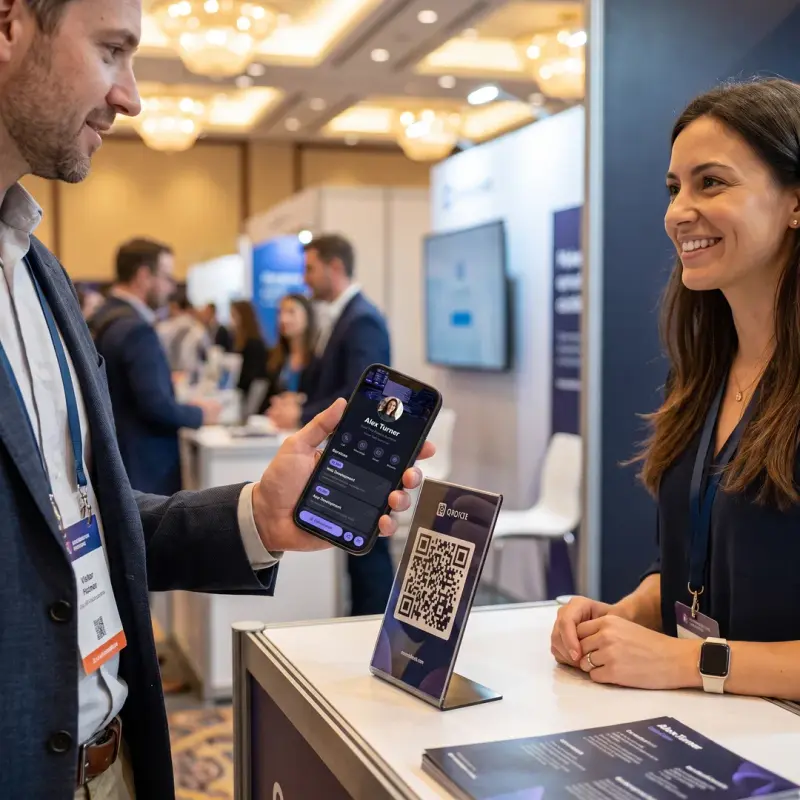
Scan the paper cards you are handed
The scan button sits on your own card, on every plan. Point the camera at a paper business card and the details are read into the fields: name, phone, email, company and role. You confirm with a glance, and the contact is saved with the card photo. Every account starts with 5 free scans.
When you both have a card, one scan connects you both
A visitor who already has a MyVisito card arrives with their details filled in. One tap, and each of you has the other in your contacts.
Where every lead goes after the event
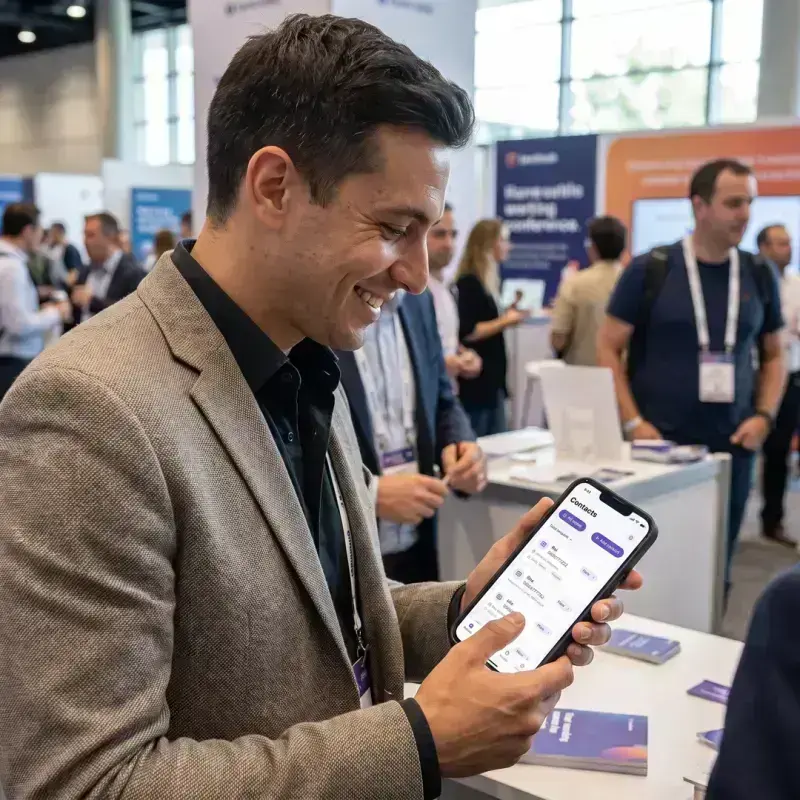
Into one contact list, with the event, the status and the next step beside each name.
A contact list built for the day after
Each person is a full contact: how they reached you, where you met, a status, tags, notes and a follow-up date. The same person arriving twice is merged into one contact.
Mark where you met, and find everyone from one event
The event is saved beside the contact, and you can set it or correct it yourself at any time. After the conference you filter the list by that event and see exactly who to write to.
Follow up while they still remember you
Set a reminder on a contact, or let the AI draft a personal follow-up from what you know about the person. You read it, edit it and send it yourself.
A whole team at one booth
Each lead is credited to the team member whose card captured it. Reps see their own leads, and managers see the whole event.

Leads go straight to the tools you already use
14 integrations: CRM, email marketing, spreadsheets and automation. Every new lead is sent to the ones you connected.
CRM
- HubSpotOne-click
- SalesforceOne-click
- Dynamics 365One-click
- PipedriveOne-click
Marketing
- MailchimpOne-click
- KlaviyoAPI key
- BrevoAPI key
- KitAPI key
- MailerLiteAPI key
- beehiivAPI key
Productivity
- Google SheetsOne-click
- Google ContactsOne-click
- OutlookOne-click
Automation
- ZapierOfficial app
- Make, n8n and in-house systems connect through the signed webhook.
From real life
This is how it looks day to day
Someone scans your card at a conference, at the gym or in front of the stage, and books or buys on the spot.
Who uses event lead capture
Anyone who meets many people in one day and needs to remember each of them.
Exhibitors at a trade show
One QR code on the stand collects every visitor's details, even when the whole team is busy talking.
Sales reps at a conference
Each conversation is saved with the event and a note, so the follow-up is personal.
Speakers and workshop hosts
Put the QR code on your last slide, and the audience leaves their details from their seats.
Recruiters at a career fair
Candidates leave their details in a tap, and the cards they hand you are scanned on the spot.
Real estate agents at an open house
Visitors sign in by scanning your card, and you know who came to which property.
Freelancers at a meetup
Share your card in a tap and get the other person's details back in the same moment.
How it works
Open your card in a few minutes
Start from a template or describe what you do. Your card and its QR code are ready, on the free plan too.
Show the QR code and scan paper cards
On a stand, a screen or your badge. Visitors leave their details, and you scan the printed cards you are handed.
Follow up the day after
Open the event's list and write to people while they still remember talking to you.
Pricing
Start free, and pay only when your business needs more
On the free plan you get your own card, and interested people can leave their details. Paid plans start at $24 a month, and you can try one for 7 days.
- Free$0
- Premium$24 per month
- Max$98 per month
Frequently asked questions
What is event lead capture?
Event lead capture is collecting the contact details of the people you meet at a conference, trade show or meetup, together with the context of the conversation, so you can follow up afterwards. With MyVisito it runs from your digital business card: a QR code visitors scan, a form where they leave their details, and a scanner for paper cards.
How do I capture leads at a conference or trade show booth?
Show your card's QR code on a stand, screen or badge. Visitors scan it, see your card, and leave their details through the exchange form. Every submission lands in your contacts tagged with the event.
Is this a lead retrieval app that scans attendee badges?
The card does not read the organizer's attendee badges. It works independently of the event's registration system: visitors scan your QR code and leave their own details, and you scan paper business cards with your phone. The same card serves you at every event, with no equipment to rent.
Do visitors need to install anything?
No. Your card opens in their browser like any web page. They can save your details, leave theirs, or add your card to their wallet, all without an app.
What about the paper cards people hand me?
Photograph them with the scan button on your card: the details are read into a contact, the event is saved beside it, and the card photo is kept. Every account starts with 5 free scans.
Can I add a lead capture form to my card?
Yes. Every card has a details form on every plan, the free one included: name, email, phone and a message. The advanced form, with your own fields, a budget range and a request for a call, opens from the Premium plan.
How do I remember where I met each person?
The event is saved beside the contact. You set it when you scan or exchange details, and you can correct it later from the contact itself. Filtering by event shows everyone you met at one conference.
How do the leads reach my CRM and email tools?
Every captured lead lands in the built-in contacts and is dispatched to your connected integrations, from webhooks to HubSpot, Salesforce, Mailchimp and Google Sheets.
How does my team split the leads?
Each lead is credited to the team member whose card captured it, so reps see their own pipeline while managers see the whole event.
Does it work when the venue internet is weak?
Your QR code and wallet pass open with no connection. Visitors leave their details on their own phone and their own data, so a crowded booth network doesn't get in the way.
How long does it take to set up before an event?
A few minutes. Create your card, publish it, and its QR code is ready to print or to show on a screen. You can also add the card to Apple Wallet or Google Wallet and show the code from there.
How much does it cost?
The card, its QR code and the basic details form are on the free plan, which stays free. The scanner starts with 5 free scans, and paid plans add scans per day and the advanced form.
More MyVisito capabilities
Business card scanner
Photograph a paper card and the AI fills in the contact for you, with the card photo and where you met.Contacts and CRM
Each name on your list comes with where you met, where things stand and when to get back to them.Analytics
How many opened it, what they tapped and where they came from, by section and by date range.