Event networking: how one QR replaces a stack of paper cards
You met thirty people at the conference. How many did you actually talk to afterwards? A practical networking guide: scanning instead of paper, two-way exchange, and remembering where and why you met.
 MyVisitoContent teamAugust 6, 2026 · 5 min read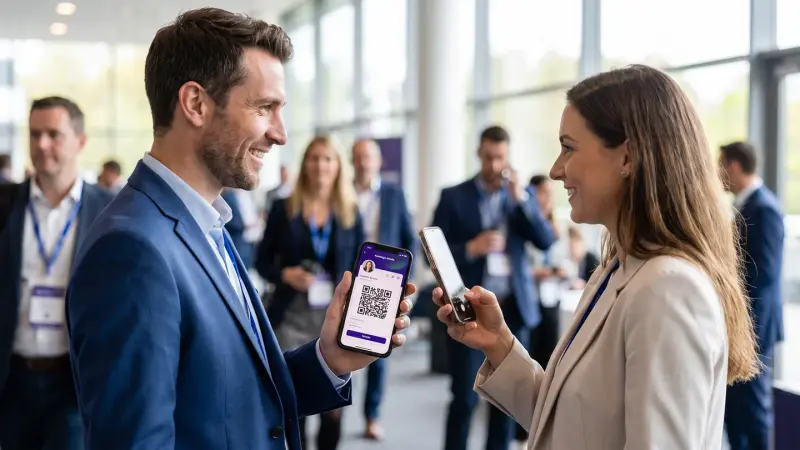
The conference ends. In your pocket: ten paper cards. In your phone: three numbers saved as "from the conf". In your head: a promise to sort it all out tomorrow. Two weeks later the cards are in the jeans that went through the wash, and the opportunities have gone cold. The problem with networking is never the meeting itself. It's what happens after.
In short: networking is measured by what remains after the conference. One QR instead of a stack of paper does three things: the other person opens a live page and saves you in one tap, they can leave their details back, and every introduction is saved with its context: when, where, what you talked about. The routine that works is five steps, and most of them take seconds.
New to the whole idea? What is a digital business card explains what one is and how it works, and this article picks up from there.
The moment that matters: the ten-second exchange
When someone asks for your details at an event, you have ten seconds to leave an impression. The difference between handing over paper and showing a QR is the difference between "another card in the pile" and a live page opening in their hand: photo, story, portfolio, and a way to reach you. It's also the moment where personal branding actually happens.
- From your screen: open the card and show the QR. A second, scanned, open.
- From Apple Wallet or Google Wallet: the card in your digital wallet, available even when the hall has no signal. Apple's guide to passes in Wallet.
- Printed: on a name badge, on a roll-up at the booth, even on a classic paper card that becomes a doorway to the live page.
How you get their details back, instead of only handing yours over
Most people think of the card as a one-way tool: I give you mine. The real upgrade is the two-way exchange: whoever opened your card can leave you a name and a phone or email, and they're saved for you automatically, with context: when, where, and at which event. And if your phone number is hidden from strangers, the exchange is how it reaches the people you met: how to share contact details without giving out your number.
And the person who handed you a paper card anyway? A card scanner turns it into a digital contact with one photo, straight into your list, instead of typing it into the phone's contacts by hand.
See what yours would look like
Tell the AI assistant about yourself and your card's draft is waiting in the editor. Start free, no credit card needed.
Create your free cardHow to remember why you met, a week after the conference
A name and a number aren't a business relationship. A business relationship is the context: what you talked about, what you promised, and when to follow up. In the audience list every introduction is saved with its context, and a follow-up reminder makes sure "let's talk after the holidays" actually happens.
A networking routine that works, in five steps
- Before the event: make sure the card is current and the QR is saved in your digital wallet.
- In the conversation: show the QR, the other person opens and saves. Ask them to leave their details back.
- Right after the conversation: two seconds of context: add a short note to the contact about what you discussed.
- In the evening: go through the list, mark the warm ones, set a follow-up reminder for each.
- Within two days: a personal follow-up message that recalls the context. Not "nice to meet you", but "we talked about X". If there's something to continue, booking a meeting straight from the page saves the ping-pong.
A team at the booth: how every lead lands in one list
When several people staff a booth, everyone should carry a consistent card with the company's branding, and every inquiry should land in one list at the end of the day, not in five phones. Teams and event lead capture explain how that works.
And when you are the organizer: registration, entry, and a list that stays
Running a community meetup or a workshop? A digital invitation with RSVP does for the attendee list what the card does for introductions: everyone saved, with context, in one place. An event registration page has its own guide.
Before the next event: the conference checklist in ten items and your card in Apple Wallet and Google Wallet. And after it: the three-step follow-up method.
Frequently asked questions
What if the other person doesn't have the app?
There's no app. The card opens in the browser from any scan, and whoever wants to saves it to contacts or to the wallet. Zero friction on the other side too.
How many paper cards can I scan?
There's a free allowance to start, and the paid plans extend it. Details on the pricing page.
How does this work at an international event?
The card can speak the visitor's language: a guest who opens it sees the content in their own language, in 27 languages.
What do I do with the details collected after the conference?
Export them to the system you work with, or work from the list itself: reminders, tags, follow-up messages. The card for sales leaders and the beginner's guide go further.
 MyVisitoContent team
More from the blog
How to share contact details without giving out your number
A number on a card or a public page reaches whoever holds it next. How to hide your phone and hand it only to people who exchange details with you.Online booking for a small business: let clients pick the time
Every "when works for you?" costs a client. How to let clients book from your calendar on their own, what to set up once, and how to cut no-shows.Conference networking checklist: 10 things to set up first
A conference networking checklist in ten items: four on your card a week before, three on your phone the day before, three habits at the event itself.