Business and private events work differently
You pick the type in the first step, and the rest follows from it: who can see the event, whether Google can find it, and how money is collected.
Business event
A workshop, a talk, a client evening, a launch or a conference.
- Can appear on your card and in Google, if you choose.
- Sell tickets through MyVisito, with a receipt for the buyer, refunds and seat counting.
- Everyone who confirms joins your contacts with the event attached.
- Automatic reminders by email and SMS, on the day and at the time you set, with the event cover and every guest's personal ticket. On Premium.
Private event
A birthday, a wedding, a family gathering.
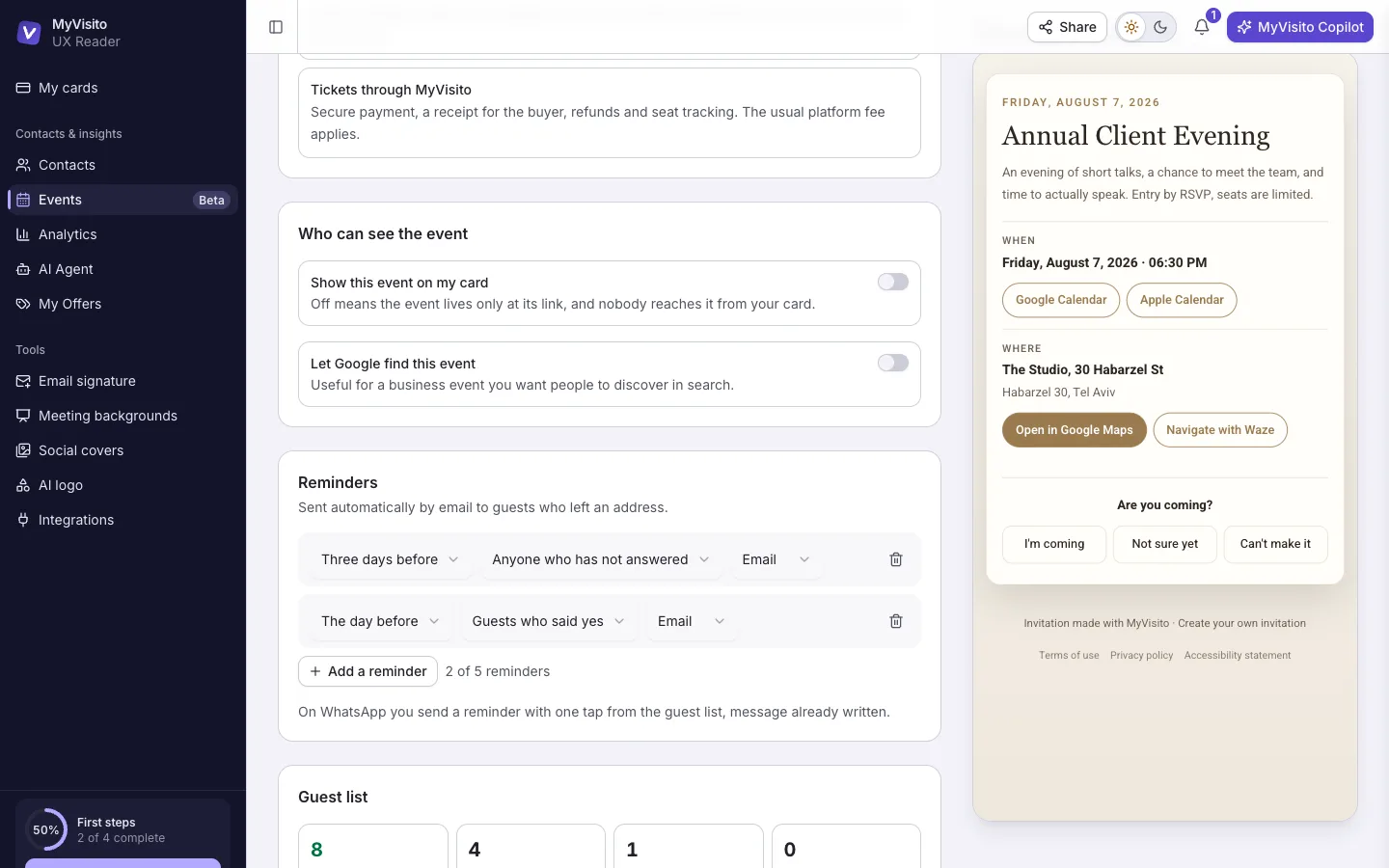
- Only people with the link can see it. It stays out of Google and off your card.
- Free RSVPs, and we never touch the money. Want to sell tickets? Switch the event to business.
- Guests stay out of your contacts unless you decide otherwise.
- Exactly the same reminders. People forget to answer a party invitation too.
You pick in the first step of creating the event. A private event can never sell tickets through us, and that's on purpose: friends splitting the cost of a party are sharing an expense, and we keep it that way.
Its own short address, and a place on your card
The event gets an address of its own to send in a message, drop into a story or print on a paper invitation. It is claimed the moment the event is created. A business event also shows on your business card, and a private event stays with the people who got the link: out of Google and off your card.
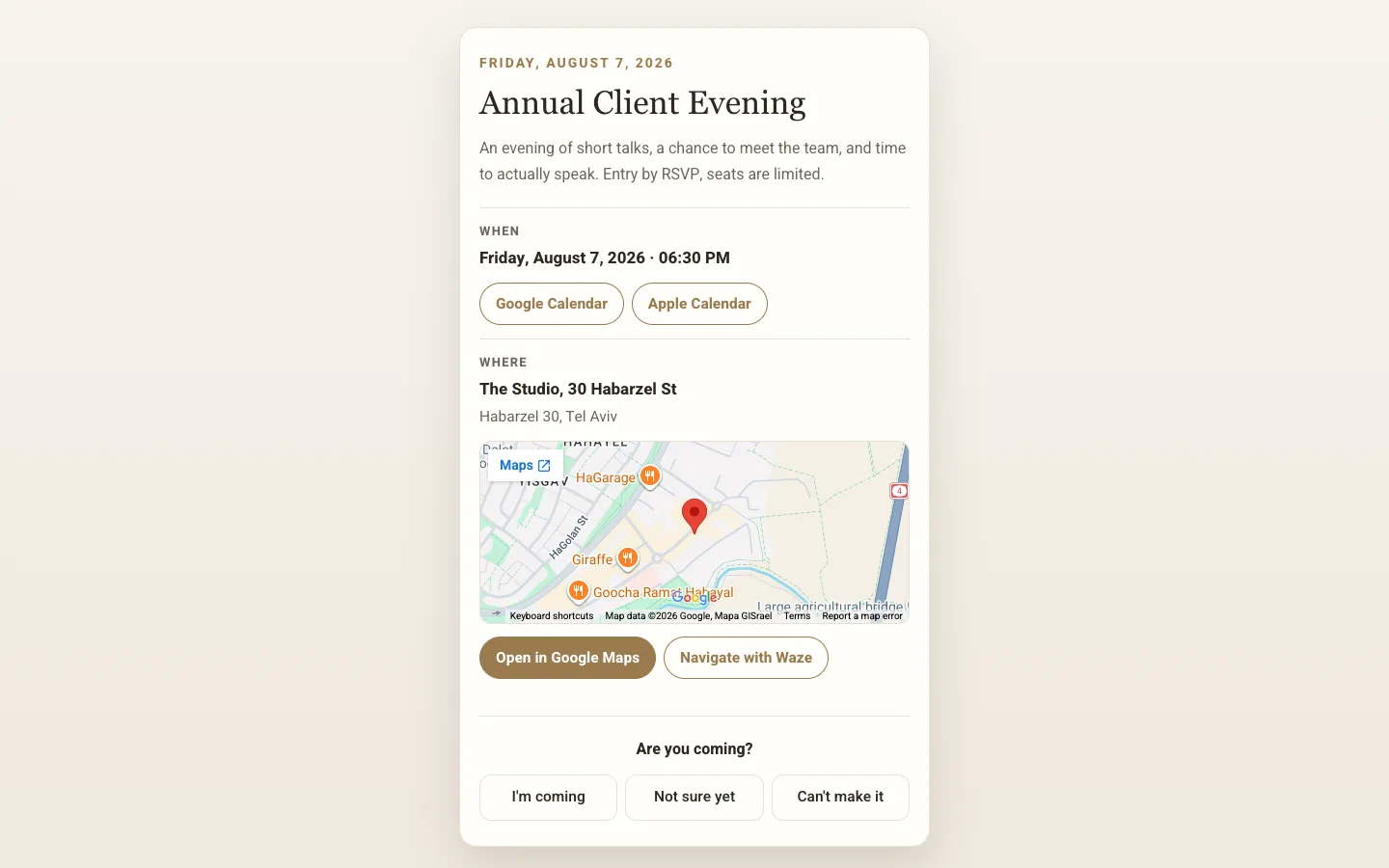
A wedding invitation, the way it is printed
The couple's names at the top, the invitation sentence, the date in large digits, the reception and the ceremony with an icon and an hour each, a closing line, and both families. Each part appears only when you fill it in, and you can add an opening line of your own. Choose from 24 ready wedding designs, or upload your own picture.
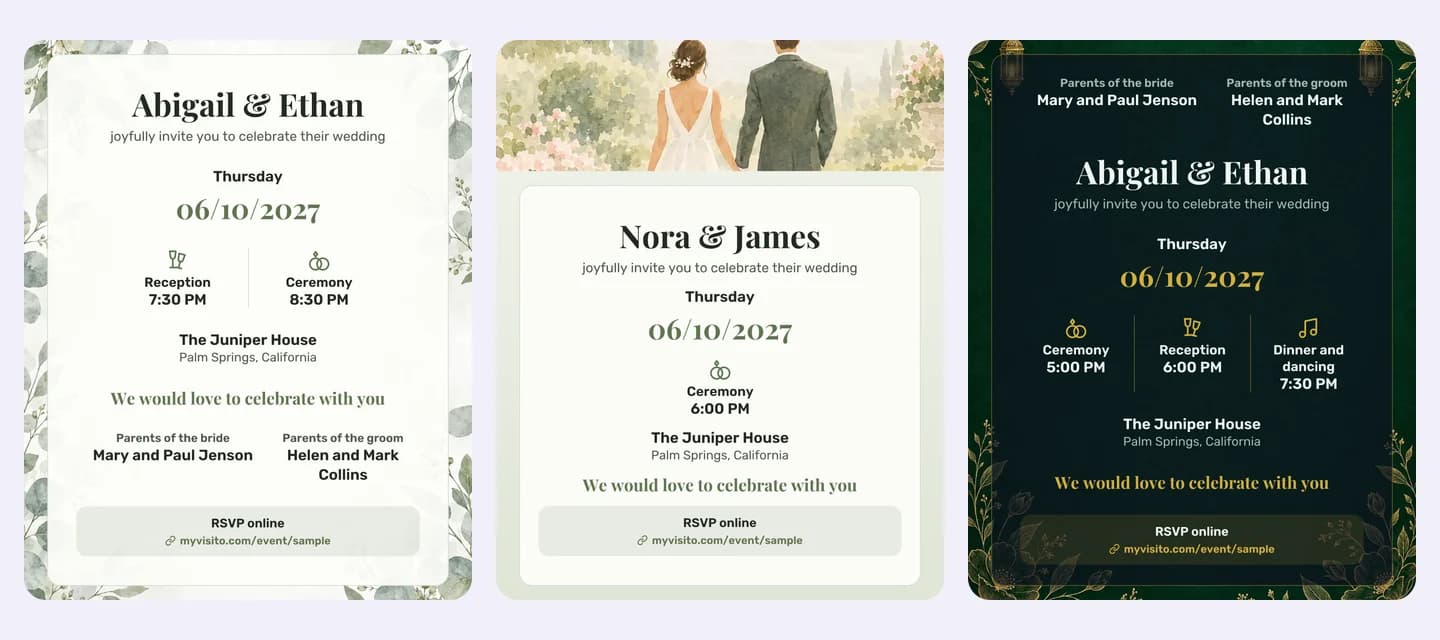
RSVP for a conference, a launch or a company event
A free conference, a launch, a team toast, a meetup or a client evening: people register with no ticket and no payment. You set how many places there are, which details to ask for (company, role), and whether to approve each registration by hand. The event shows on your business card, and everyone who registers is saved to your contacts.
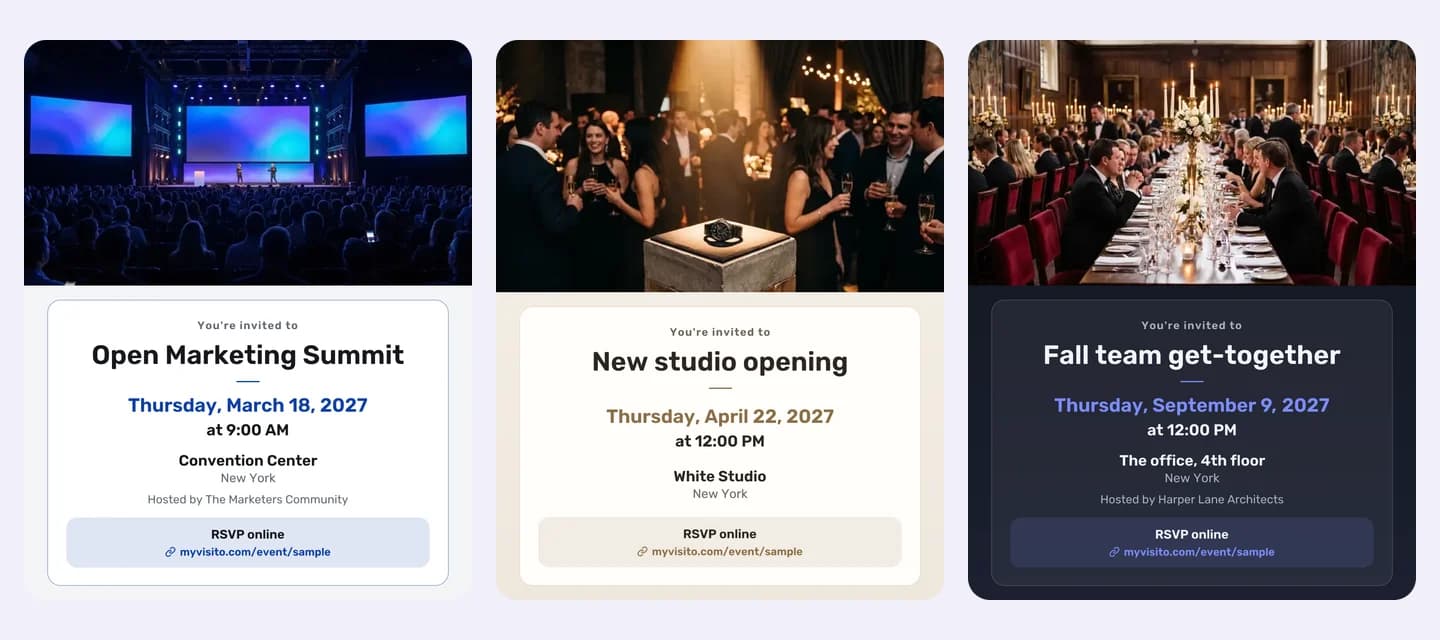
A story and a post to send, a QR file to print
To send: a story and a post in your invitation's design, with the RSVP link written on them and the MyVisito line in your invitation's colours, on every plan. From Premium you also get A5 and A4 print files at print quality, with a QR code that opens the invitation and without our line.
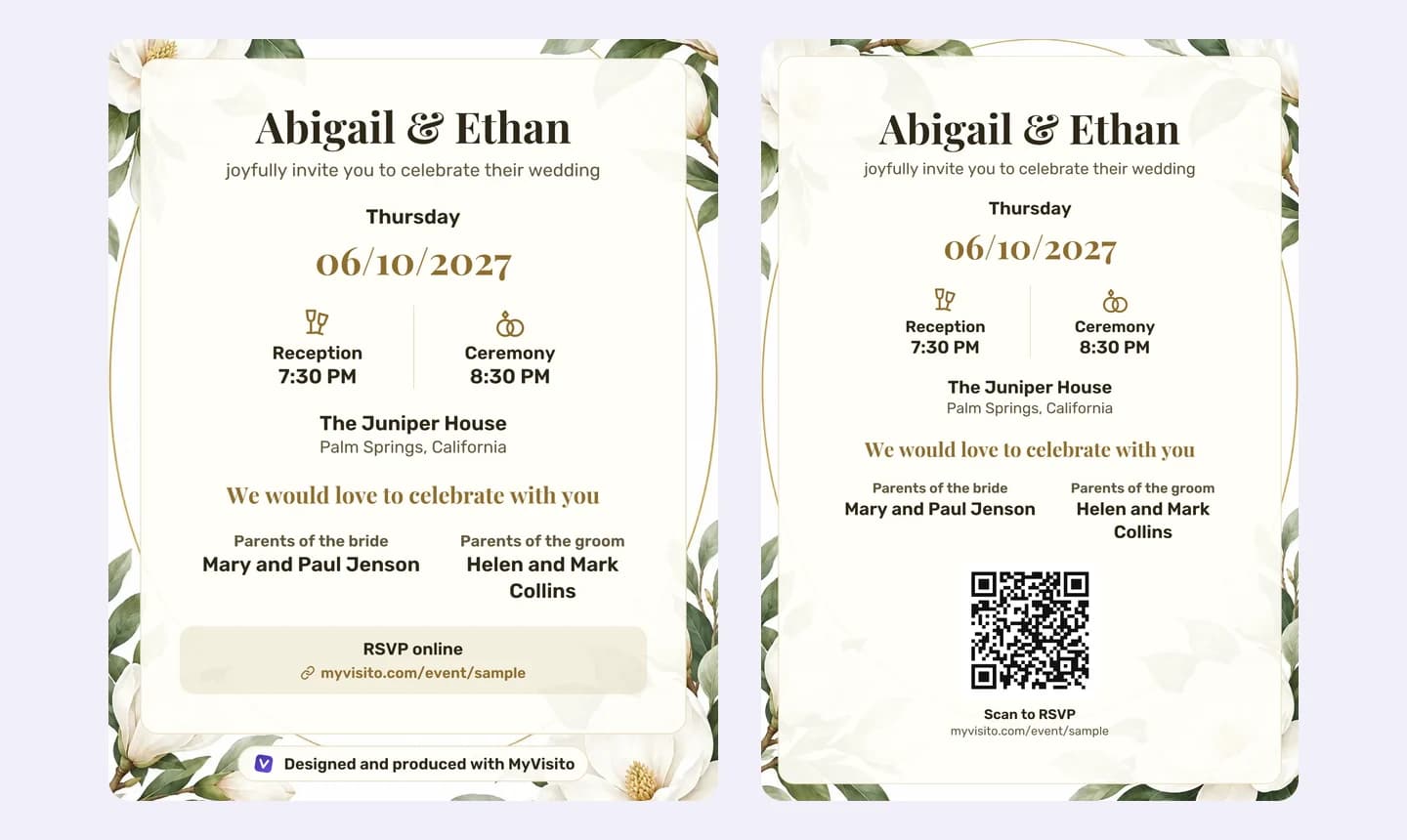
RSVPs that count themselves
Guests answer and add how many people are coming with them, so every plus-one is already in your count. When the seats run out, registration closes on its own, and you decide which details the form asks for.
Whoever forgot to answer gets a nudge
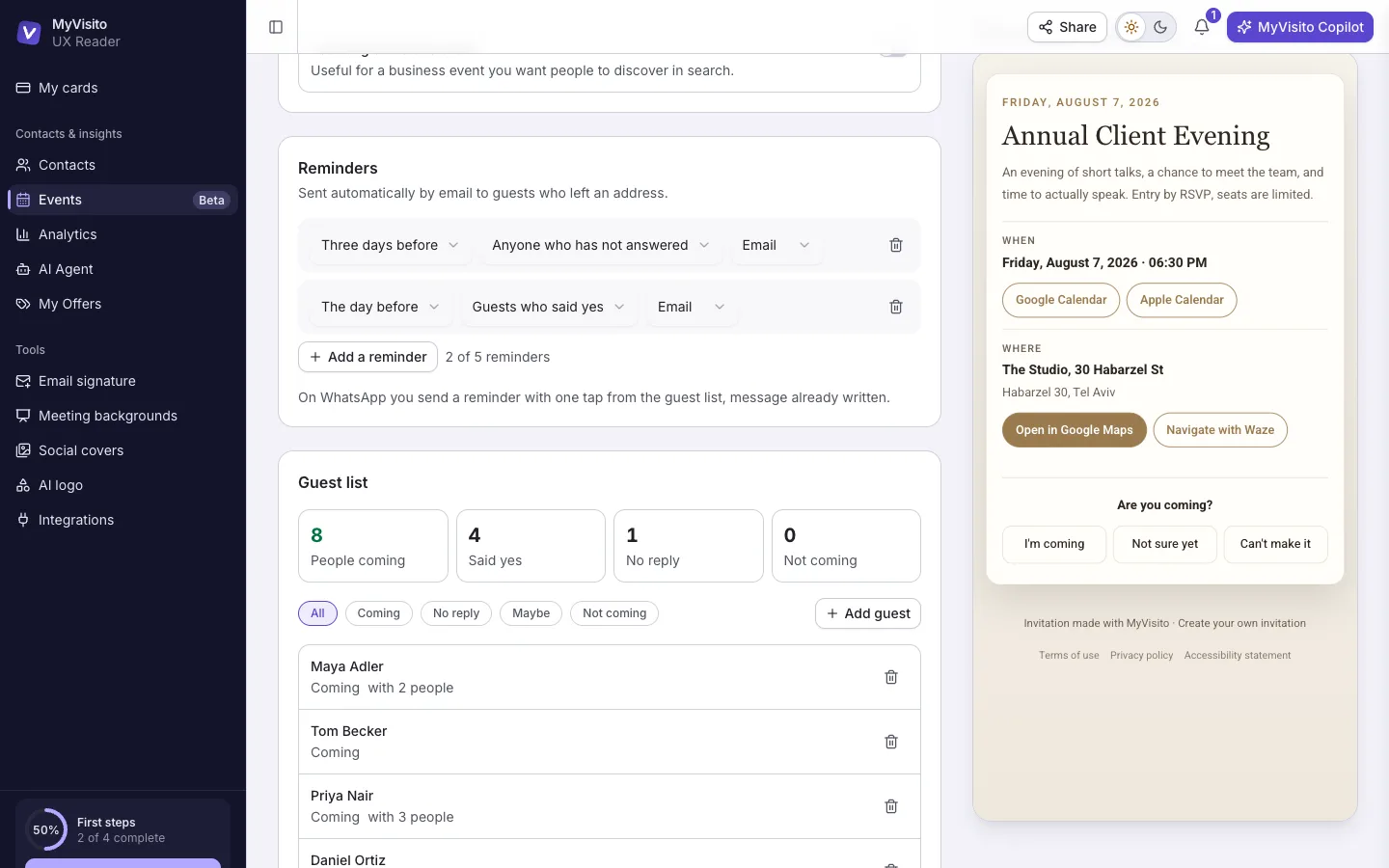
Every event starts with two reminders, and you can change them: when they go out, who receives them and on which channel. Each one goes out on the day and at the time you choose, by email with the cover, all the details and the guest's personal ticket, and you can add SMS for guests who left a phone number themselves (from an SMS pack you buy inside the system). Each reminder sends once, even if you edit it midway. Available on any paid plan.
Ticket sales for business events
At a business event you sell tickets through MyVisito: a secure checkout, a receipt for the buyer, one-tap refunds and a seat count that updates itself. The money reaches your bank shortly after the event, with the fee itemized up front next to the processing cost. A private event is a free invitation with RSVPs, and you can switch it to a business event and open sales whenever you like.

Your guests stay with you for the next one
At a business event everyone who confirms joins your contacts with the event you met at attached, and at a private event that stays off by default. Next time you invite everyone who showed up with one tap instead of rebuilding the list.
AI designs the invitation from your details
Tap AI beside "A few words for the guests" and get a designed invitation built from the event's details: headings, a schedule, a lineup of performers with photos, a gallery, a quote and the rules. On an invitation you already wrote, the AI changes only what you ask for and asks when something is unclear. Any change can be undone with one tap.
Who registered, and where from
A foreign phone prefix shows its country name, and the guest card shows how they arrived (Google, a tracking link or directly), from which network and device. When something doesn't add up, say a browser clock that disagrees with the location, a signal appears for you to check. Whether to approve is still your call.
How it works
Build the event
Pick business or private, then fill in a name, a date and a place. The short address is claimed automatically, and the invitation page is ready before you finish typing.
Send the link
Copy it into a message, a story or an email. Guests open it, say whether they are coming and leave their details. No account, no app.
Watch who is coming
The guest list shows who confirmed, how many people they're bringing and who hasn't answered yet.
Frequently asked questions
How do I create an event?
Open the Events screen, hit Create event and pick business or private. Fill in a name, a date and a place, and you immediately get an invitation page on its own short address. Publish it and the link is live and ready to send.
What is the difference between a private and a business event?
A private event lives only with the people who got the link: it stays out of Google, off your business card, and guests do not join your contacts unless you ask for that. A business event shows on your card, can be indexed by Google if you choose, and sells tickets with receipts and refunds.
Does the event show up on my business card?
A business event shows on your business card as soon as it's live, and you can hide a single event from the card at any time. A private event never shows on a card: only people with the link see it.
Can I collect money from guests?
Yes, at a business event. You sell tickets through MyVisito, with a secure checkout, a receipt for the buyer and refunds, and the money reaches your bank. Selling tickets through us opens on Premium, with no MyVisito fee on tickets on Premium and Max; only the payment-processing fee applies, itemized before you turn it on. A private event stays a free invitation with RSVPs; switch it to business when you want to sell.
How do reminders work?
Every event starts with two reminders ready to go: one for guests who have not answered and one for those who confirmed. You can change when they go out, who gets them and on which channel, and add more. Each one goes out on the day and at the time you choose, by email with the cover, the details and the guest's personal ticket; an SMS reminder is available for guests who left a phone number in the form themselves, from an SMS pack. Reminders come with any paid plan. Anyone you added by hand gets a one-tap nudge from the guest list, message already written, on every plan.
How many events can I create?
Creating events is open on every plan, free included, with a designed invitation and RSVPs. Invitations can go out in up to 22 languages: English, Spanish, French, German, Japanese, Hebrew and more. The free plan runs one active event at a time, and Premium, Max and Teams Max have no cap. The production tools (door check-in, guest list export and event insights) are open on every plan. Automatic reminders and guest messages come with every paid plan. On the free plan you add up to 30 people yourself to an event's guest list; anyone who signs up through the event link doesn't count, and paid plans have no cap.
Do guests need to sign up for anything?
No. They open the link, say whether they are coming and leave their details. No account, no app, and it works for people who have never heard of MyVisito.
Can I print the invitation?
Yes. In the event's "QR & sharing" tab you download the invitation as a picture with a QR code for RSVP. Post and story sizes are open on every plan. A5 and A4 print files at 300 DPI, without the MyVisito line, open from Premium.
Does it work for a free conference or business event?
Yes. A business event can run on RSVP with no ticket sales, on every plan: people register for free, you cap the number of places and can approve each registration by hand. When you want to charge, build paid tickets from the event settings, and selling opens on Premium.
More MyVisito capabilities
Contacts and CRM
Each name on your list comes with where you met, where things stand and when to get back to them.Selling from the card
Sell courses and digital files straight from your card. Every service gets a quick-contact button.Digital business card
One page that introduces you: who you are, what you do and how to reach you in a tap.