A digital business card for realtors: what belongs on it
What belongs on a real estate agent's digital business card, where to put the QR so a showing turns into an inquiry, and how to remember every "we'll get back to you".
 MyVisitoContent teamAugust 5, 2026 · 7 min read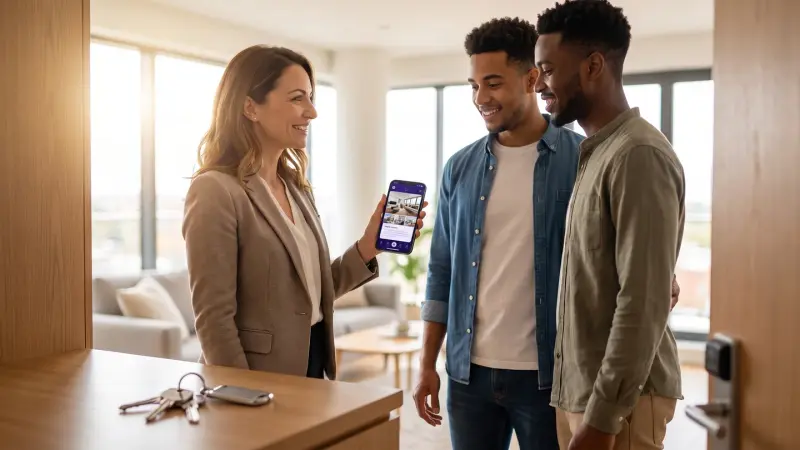
A real estate agent's business card has to do one thing paper never could: stay with the buyer after the showing ends, with your listings, your reviews and a one-tap way back to you. A digital business card for real estate is a live page at your own address that opens from a link or a QR code at the property, and every inquiry from it is saved with context: who, which property, and when to follow up.
In short: in real estate the decision is made at home, in the evening, on a phone, not at the property. A digital card with your listings, reviews and one button back to you is what stays with the buyer that evening. Print its QR on the sign and on the door, and every inquiry is saved with a name, a property and a date.
The showing is over. The buyers said thank you, walked down the stairs, and on the drive home they already looked at three more listings. What did they walk away with from you? If the answer is "a paper card in a pocket", you know exactly where it ends up. If the tool itself is new to you, what is a digital business card covers the basics; this article is about real estate.
Why it matters more for agents than for almost anyone
An agent is measured by other people's memory. The buyer who saw four apartments this week needs to remember you specifically, the seller choosing between three brokerages needs to see you're serious, and the neighbor who walked past the sign needs an easy way to ask. A paper card helps in none of those situations: it shows no listings, doesn't update when a property sells, and never tells you who opened it.
One page that represents you, with a photo, an area, listings and reviews, is also the simplest personal brand there is: you, ahead of the brokerage logo. And that's what buyers remember.
What belongs on a real estate agent's card
The card has to answer the questions that come up in the evening, on the phone:
- Who you are and where you work: name, photo, one sentence. "Helping families buy their first home in Austin" says more than "real estate consultant".
- Your listings: photos, price, bedrooms, the details. A buyer who saw one place today wants to know what else you have.
- Proof: two or three reviews from people who bought or sold with you, and a deal count if it's real. Digital proof covers how to collect them.
- One clear way back to you: WhatsApp or text, a call, or a booking button. One big button at the top.
- Save-to-contacts in one tap, so your number is in the buyer's phone the moment they want to move.
What to leave out: an unordered pile of social links, and the "professional and reliable service" paragraph every agent writes.
See what yours would look like
Tell the AI assistant about yourself and your card's draft is waiting in the editor. Start free, no credit card needed.
Create your free cardYour card is your listings portfolio
On a digital card every property is presented with photos, price and details, and an interested buyer taps and leaves an inquiry on that specific listing. Sold a property? Remove or update it once, and everyone who has your link sees the current list. No printed sheets going stale, no "oh, that one's gone" on the phone.
A buyer who opens your card in the evening, after seeing four apartments, knows exactly who you are and what you have to offer.
A QR code at the property: three places that bring inquiries
Print your card's QR code and put it in three places: on the sign outside, on the front door during the showing, and on the listing sheet you hand out. Whoever scans lands on your page, sees the property and the rest, and can leave their details on the spot. Even someone who walked past the property by chance, with no scheduled showing, turns from anonymous interest into an inquiry with a name and a number. A QR code holds only the page's address, so the same sign keeps working after the listings change.
Every inquiry is saved, even six months later
Inquiries come. The hard part in real estate is remembering them. Who asked about the two-bedroom on Maple Street? Who said "we'll get back to you after the holidays"? Who wanted an introduction to a mortgage broker? When someone leaves their details on your card, the inquiry is saved in a list with where they came from, which property caught their eye and what was agreed, and a follow-up reminder nudges you to get back to them. In MyVisito that's your audience, and you can export a file from it to any other system.
A habit that works: after every showing, one short message with the link to your card ("Great meeting you, here are all my listings, and you can book a time with me right there"). Ten seconds, and the next inquiry is already on its way.
How the card works for you while you're mid-showing
- In the digital wallet: your card in Apple Wallet or Google Wallet, out in a second even with your hands full of keys. Apple's guide to passes in Wallet.
- In your email signature: every email to a client, an attorney or an appraiser carries the card.
- In Stories and your bio: one link that holds everything, instead of five.
- Meeting booking: the buyer picks a showing time from your calendar, with no message ping-pong.
Printed or digital: what each one does better
Both, in different roles. A paper card still works at the moment you meet: there's something to hand over. The trouble starts afterwards: it doesn't update, it shows no listings, and it never tells you who opened it. The simple fix is to print your digital card's QR code on the paper one. Paper handles the handshake, digital handles everything after. Digital business card or website? takes up the similar question against a brokerage website.
How to get started: four steps to a published card
In any dedicated tool the process is similar: sign up, pick a real estate template, upload a photo and your listings, and publish at your own address. The guide to building a card walks through it step by step. MyVisito has templates built for real estate, for example agent, luxury real estate and brokerage, and a page that brings it all together for agents. There's a free plan, no credit card. The matching guide for the lawyers most closings run through: a digital business card for lawyers.
Your next showing can end with your page open on the buyer's phone, instead of a paper card in a pocket.
And how a buyer books a showing without messages: online booking that lets clients pick the time.
Frequently asked questions
How do I show listings on the card?
The listings block presents each property with photos, price and details, and an interested buyer taps and leaves an inquiry on that specific listing. The inquiry is saved for you with full context.
What happens when a property sells?
Remove or update it once in the editor, and the change appears instantly for everyone who has the link. No printed sheets going stale.
How much does a digital business card for a real estate agent cost?
There's a permanent free plan with no credit card, including a published card, a QR code and sharing. Paid plans add more cards, insights and more; full prices are on the pricing page.
Can I print the QR code on a sign or a paper card?
Yes. Download the QR code from the app, optionally with your logo in the center, and print it on anything: a "for sale" sign, the door during a showing, a paper card, a banner.
Does it work for a brokerage with several agents?
Yes. The Teams plan gives every agent a consistent card with the brokerage's branding, and all inquiries land in one place.
What is the difference between a digital card and a brokerage website?
A website presents the brokerage; the card presents you, your listings and the way back to you, at an address that's easy to hand over the moment you meet. Many agents keep both, and the card is what they hand out.
 MyVisitoContent team
More from the blog
A digital business card for lawyers: what belongs on it
What a client looks for on a lawyer's business card, how they reach it from your paper card and email signature, and how to book consultations without message ping-pong. With the bar's advertising rules in mind.A digital business card for freelancers: what belongs on it
Freelancers sell one thing: themselves. How one page gathers a portfolio, prices, booking and payment, and why that beats a separate link for every tool.How to sell merch from your digital business card: t-shirts, vinyl and caps
Sell t-shirts, vinyl and caps from the card already in your bio. You set the shipping price, the buyer pays on Stripe, and you ship with tracking.