Magic Switch
Import your existing card in under a minute
Already invested in a card, a Linktree or a website? Paste a link, and the AI copies the content, detects the language, mirrors the design and hands you a card to approve. A printed business card works too, just photograph it.





Magic Switch
Already have a card or website? Bring it over
Paste a link to your existing card, website or Linktree, and the AI copies the content, mirrors the design and builds a ready MyVisito card. Free on every plan.
The card assembles live, from the link you pasted
Works with a printed business card too: photograph it from your phone, and the AI extracts every detail and builds the card.
More about importing an existing cardApprove and correct before you continue
After the build you see exactly what was recognized: name, title, phone, services and prices. Fix anything in one place, and every correction lands in the final card.
Printed business card? Photograph it
On your phone the camera opens right away. Photograph the printed card, and the AI extracts the name, phone, email and social profiles and builds a complete digital card from them.
The language is detected automatically
An English card builds in English, a Hebrew card in Hebrew. The AI detects the original page’s language and sets it as the card language, and you can always rebuild in another one.
Your contacts move with you
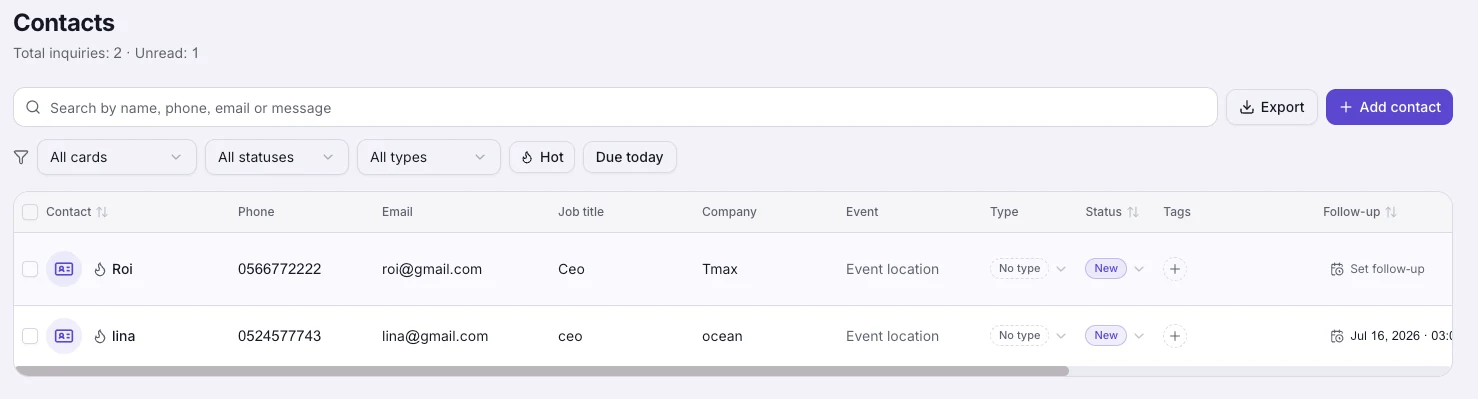
Import a CSV or vCard file from Google, your phone or another card app, and your contacts land in the CRM with their tags and notes. Duplicates merge automatically.
How it works
Paste a link or take a photo
A link to your existing card, website or Linktree, or a photo of a printed business card. A few typed words work too.
The AI reads and builds
The content is copied, the colors and design are mirrored, the language is detected, and the card assembles live in under a minute.
Approve and publish
Review the recognized details, correct anything, choose whether to keep the imported design, and publish.
Frequently asked questions
Which services can I import from?
Any public page: an existing digital card (Blinq, HiHello, Popl and others), a Linktree page, a business website or an about page. Paste the link and the AI reads the page.
How much does it cost?
The import is free on every plan, including the free one. It is part of signing up and is never counted against your AI quota.
What if the link cannot be read?
Some sites block automated access. You get an honest message right away, and you can upload a screenshot of the page instead, which works great.
Does the design come over, or just the text?
Both. The AI reads the brand colors from the page and its images, detects whether the design is dark or light, and builds a card that mirrors the original look. You can always switch to another template.
Can I correct what the AI recognized?
Yes, it is part of the flow. After the build, everything recognized is shown in one form, you fix what needs fixing, and only then continue. Nothing is published without your approval.
How do I import my contacts?
On the contacts screen, choose Import and pick a CSV or vCard file from Google, your phone or any other app. Contacts you already have are merged without overwriting details.
More MyVisito capabilities
The people you meet are worth remembering
Create the page that is you in a minute: your story, your offers, your payments, and a memory of everyone who says hello. Free, forever.